Alumni Milestones extend the Milestone system into the postsecondary years so that assigned counselors can track and support students through enrollment, persistence, and completion. Because postsecondary journeys don't follow a neat calendar — gap years, stop-outs, and transfers are common — Alumni Milestones are sequenced by number of years since high school graduation rather than by graduation year.
Alumni Milestones are organized into:
- Summer After Graduation (shared with Transition Milestones)
- Year 1 (one year out from HS graduation)
- Year 2
- Year 3
- Year 4
- Year 5 (no default Milestones; District Account Managers can add custom Milestones)
- Year 6 (no default Milestones; District Account Managers can add custom Milestones)
Where it appears in the product.
- Milestone Library — Year 1-6 groupings alongside grade-level groupings
- Milestone Plans — plans can target alumni cohorts
- Educator Dashboard & Milestone Reporting — alumni progress tracks the same way as current-student progress
- Student view — alumni see their assigned Milestones on their dashboard after graduation, same experience as current students
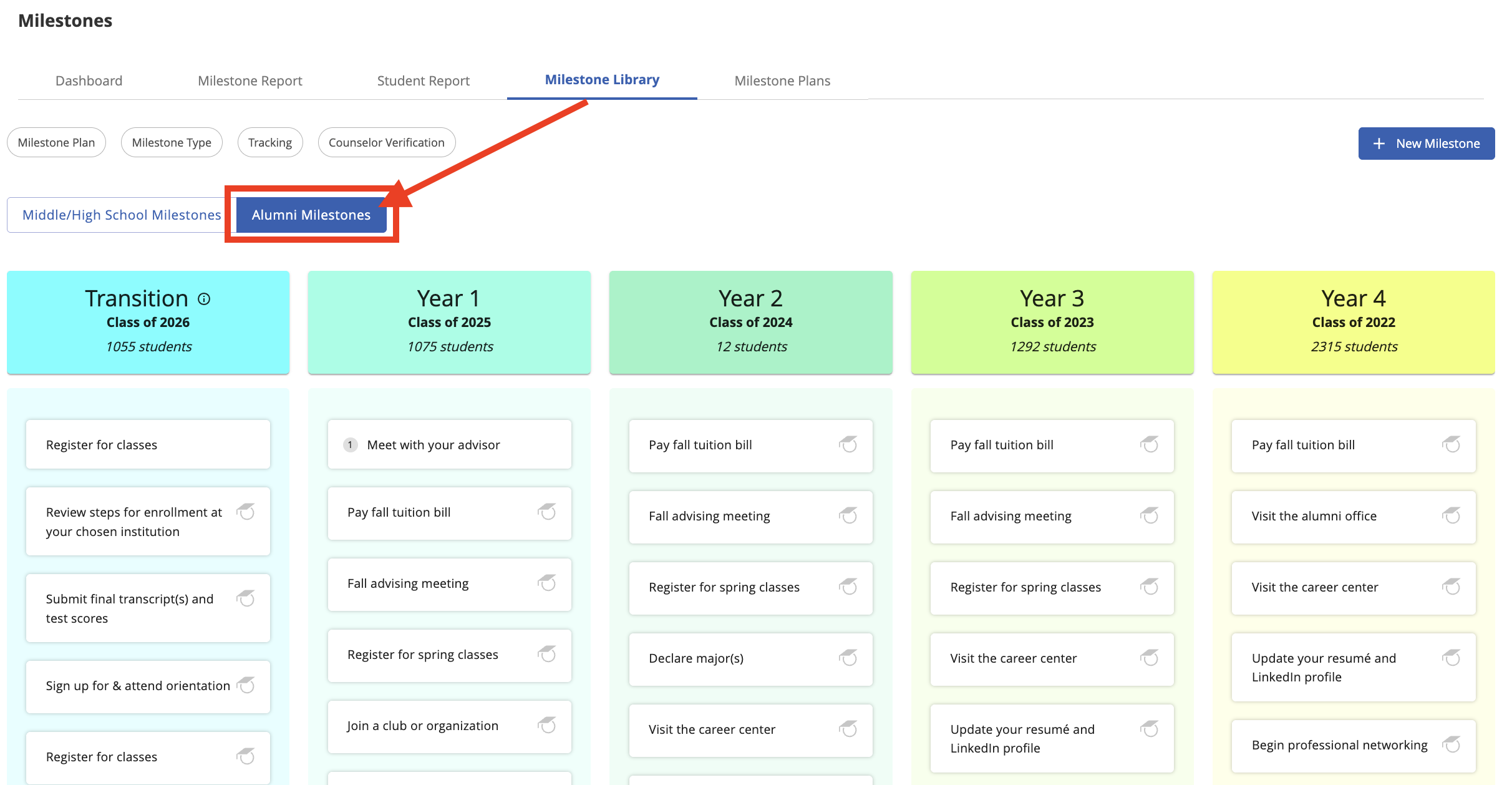
There are not currently any default plans for these Milestones. A District Account Manager must create a "Milestone Plan," then assign students to it in order for Transition and Alumni Milestones to appear for students. Learn more about creating Milestone Plans here.
Was this article helpful?
That’s Great!
Thank you for your feedback
Sorry! We couldn't be helpful
Thank you for your feedback
Feedback sent
We appreciate your effort and will try to fix the article