Essays is the workspace where your students draft personal statements and school supplementals for their college applications. As an educator, you can view a student's Essays page from their profile to see which prompts they've added, track drafting progress, and help them prepare strong submissions. This article walks through what you'll see and how to use it to support your students.
Where To Find a Student's Essays
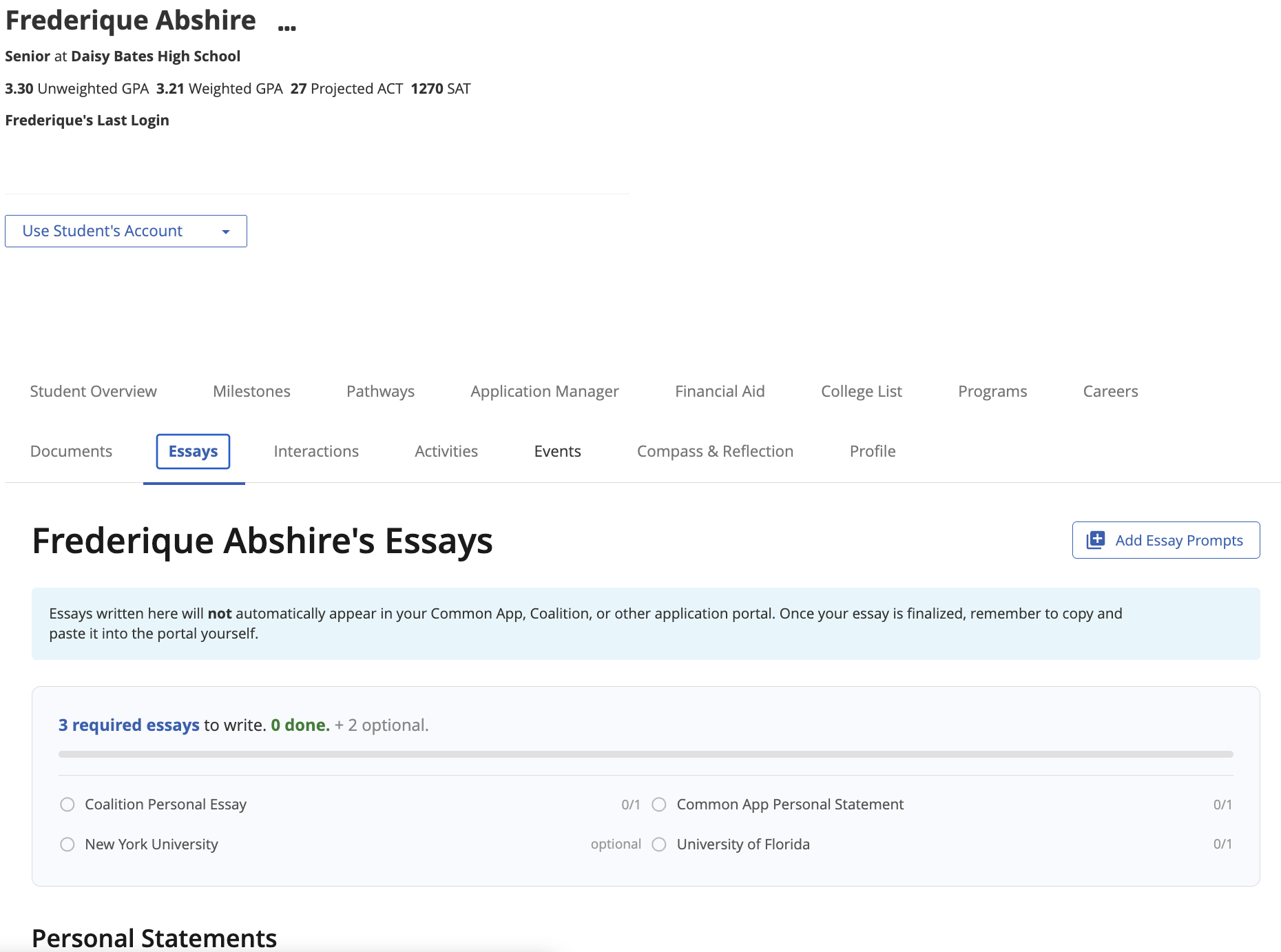
Educators can view essays from the Essays tab on the student's profile. From there, you'll see the same Essays workspace the student sees, titled with the student's name. Educators can add essay prompts to the student's Essays and provide feedback, but are not able to directly draft or edit essays.
Understanding the Student's Essays Page
The Essays tab mirrors the student's view, so you and the student are always looking at the same information. Below is a breakdown of what you'll find.
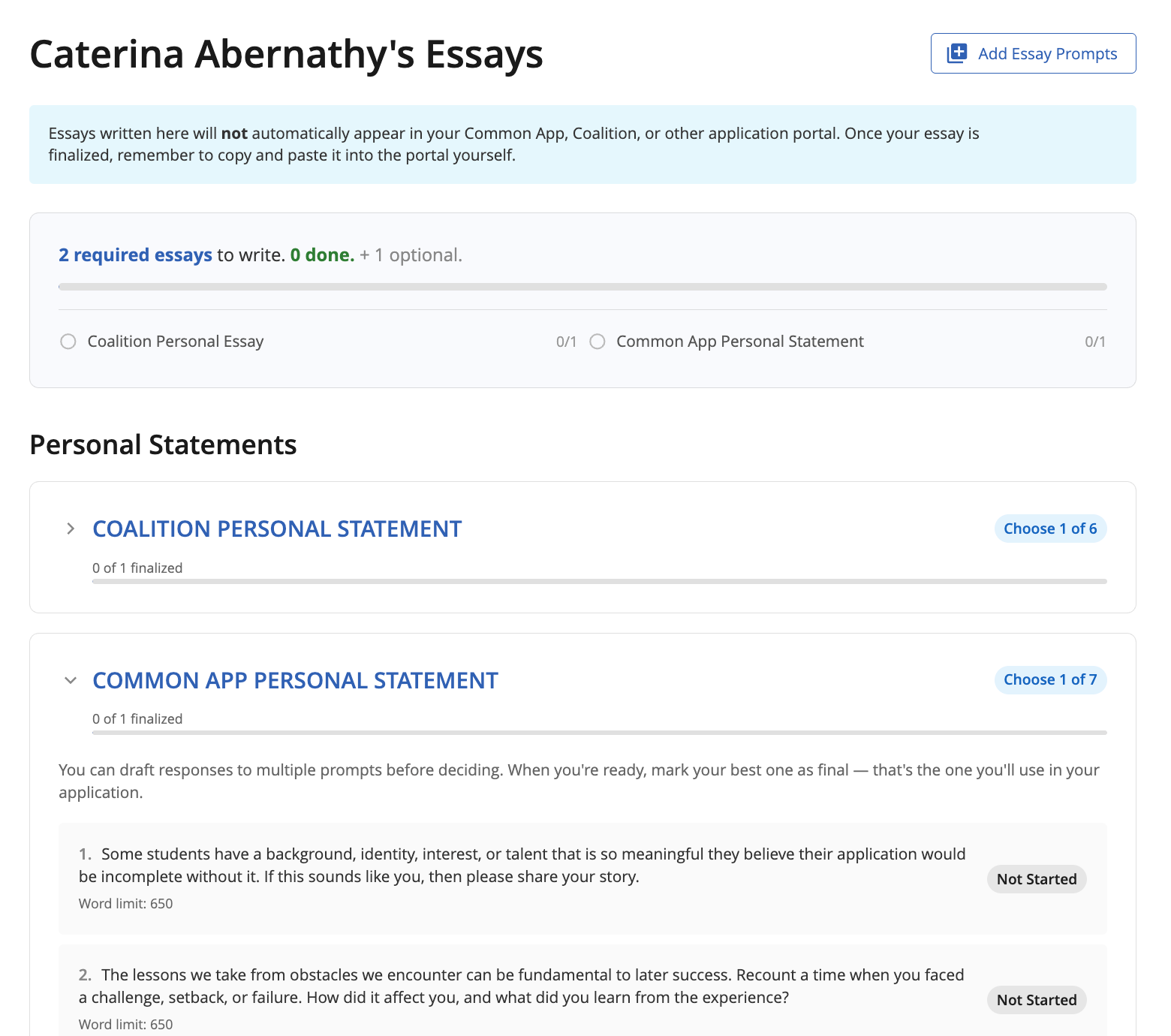
- Progress Tracker: a quick snapshot of how many required essays the student still needs to write, how many are done, and how many optional essays they've added to their workspace.
- Personal Statements: the main section where prompt groups appear (for example, Coalition Personal Statement or Common App Personal Statement). Each group shows how many responses the student has finalized out of how many are required (for example, 0 of 1 finalized).
- Prompt Cards: individual prompts within each group, including the prompt text, word limit, and status (such as Not Started).
- Add Essay Prompts (button, top right): opens the prompt library to add personal statement sets or school supplementals to the student's workspace.
Good to know: Essays drafted in Overgrad do not sync automatically to the Common App, Coalition, or any other application portal. Students will need to copy and paste their finalized essays into the portal themselves. When you're coaching a student, it's worth reminding them of this step.
Helping Students Add Prompts
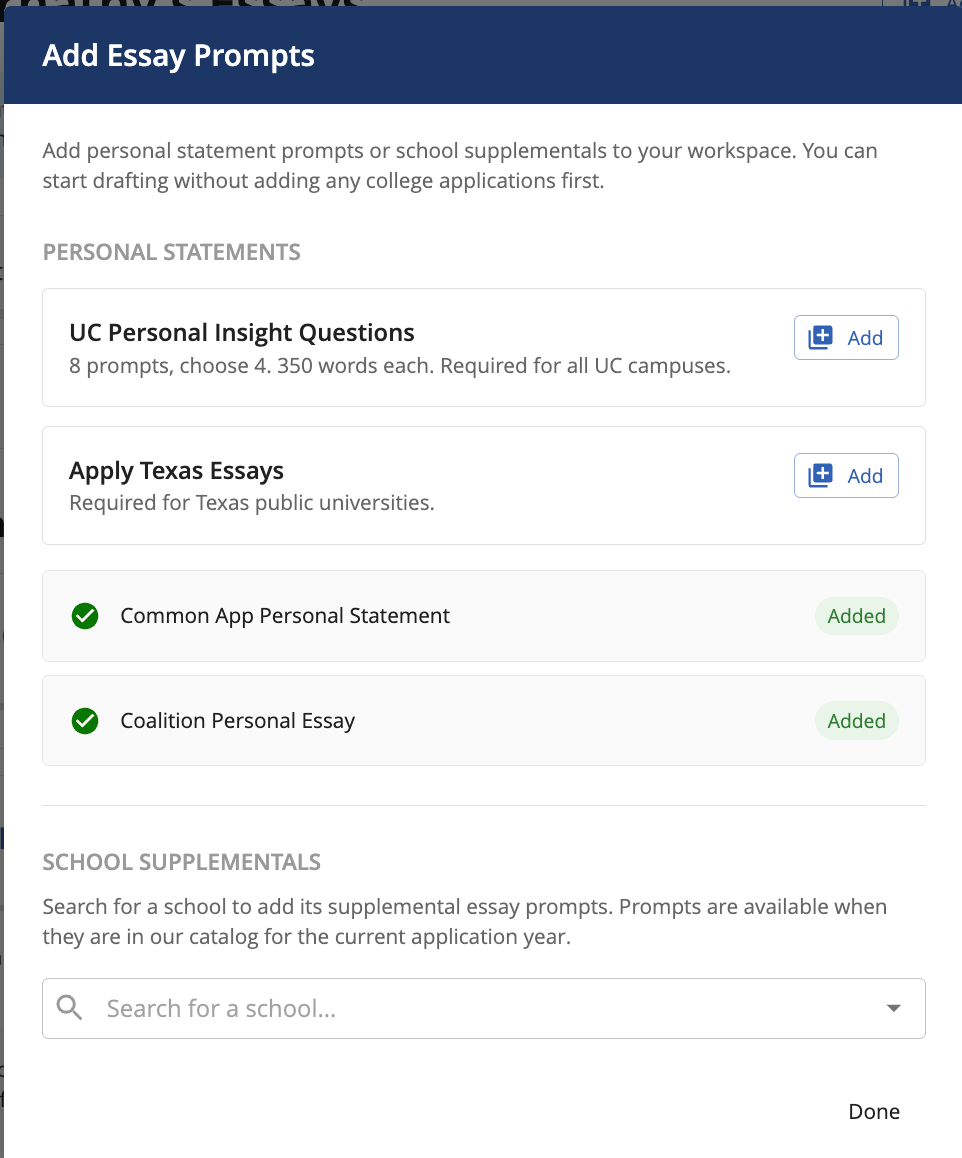
If a student hasn't added their essay prompts yet, you can walk them through it — or add prompts on their behalf from the Essays tab. Click Add Essay Prompts at the top right to open the prompt library.
Personal Statements
This section includes prompt sets commonly required across U.S. applications, including the Common App Personal Statement, Coalition Personal Essay, UC Personal Insight Questions, and Apply Texas Essays. Each option includes a short description (for example, "8 prompts, choose 4, 350 words each. Required for all UC campuses.") so you and the student can confirm what's being added.
Click Add next to a set to include it in the student's workspace. The button will update to Added once it's in.
School Supplementals
For school-specific prompts, use the Search for a school... field under School Supplementals to find the college. Supplemental prompts are available when the school is in our catalog for the current application year.
Tracking Progress and Supporting Drafts
The progress tracker and per-group counts give you a quick way to see where each student is in their essay work. A few ways to use this in your meetings with students:
- Start with the progress tracker. The top-of-page summary (for example, 2 required essays to write. 0 done. + 1 optional.) gives you an immediate read on how much still needs to happen.
- Expand prompt groups to review drafts. Open any prompt card to read the student's response, check against the word limit, and discuss revisions together.
- Revisit prompts the student hasn't picked yet. For groups where the student chooses one prompt out of several (for example, "Choose 1 of 7"), help them weigh which prompt gives them the strongest material.
- Confirm finalization. When a student is ready, make sure each required group shows the expected number of finalized essays before application deadlines.
Requesting Feedback
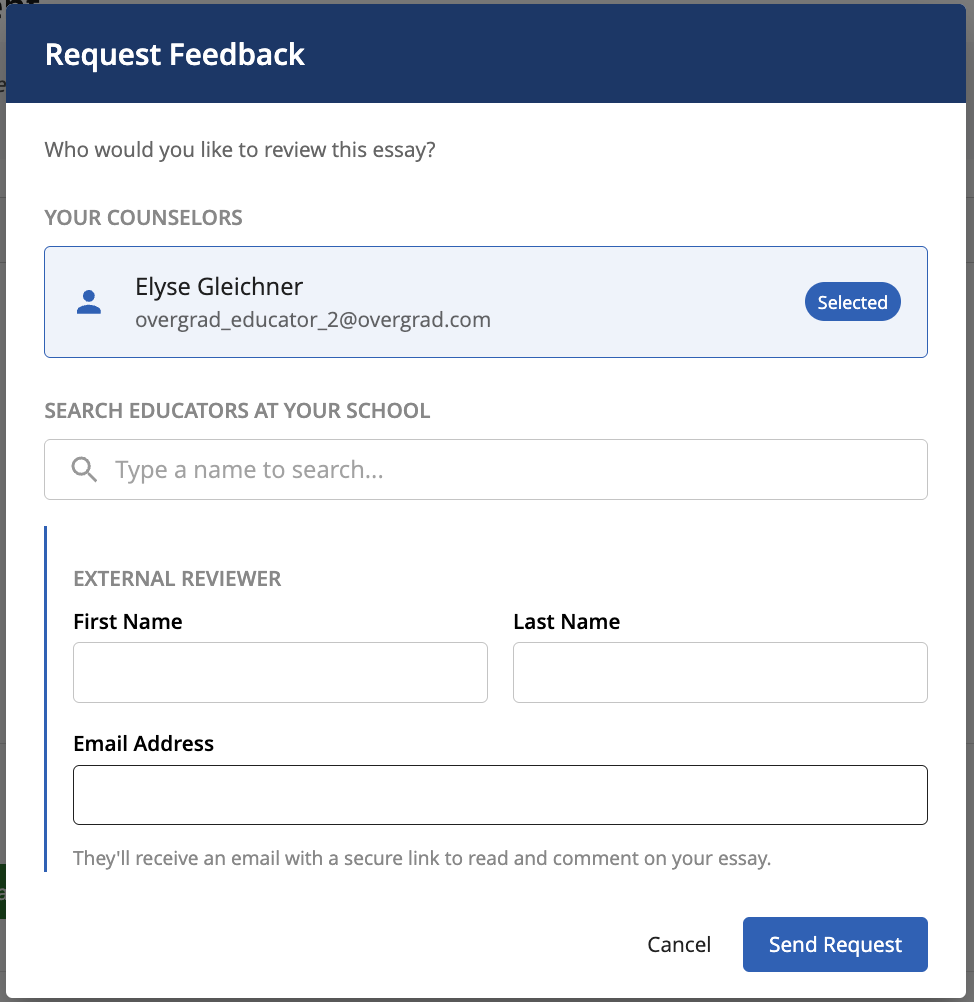
Students can request feedback from educators at your school with an Overgrad or add the required information to request from external readers. The individual requested will receive a notification and link to the essay to provide feedback.
Was this article helpful?
That’s Great!
Thank you for your feedback
Sorry! We couldn't be helpful
Thank you for your feedback
Feedback sent
We appreciate your effort and will try to fix the article