Overview
This article is for educators who need to set or update the Assigned Counselor field for students in Overgrad. It covers what the field means, who should be assigned, and how to update it individually or in bulk.
TABLE OF CONTENTS
What is the Assigned Counselor Field?
The Assigned Counselor field is a one-to-one assignment that connects a student to a specific educator in Overgrad for the purpose of college applications. This field can also be used to filter student lists and reports. This Assigned Counselor is the person who:
- Writes and submits the student's counselor recommendation
- Sends application documents (transcripts, school reports, etc.) to colleges
- Is listed as the student's counselor on documents sent through Common App
The Assigned Counselor must be an educator with an active Overgrad account at the student's school. If you need to create accounts for counselors first, see this article.
Note: The Assigned Counselor in Overgrad doesn't have to be the student's general school counselor — it should be whoever is responsible for managing that student's college application process. At some schools, that's a dedicated college advisor rather than the student's typical academic or grade-level counselor.
Updating the Assigned Counselor Field
Individually
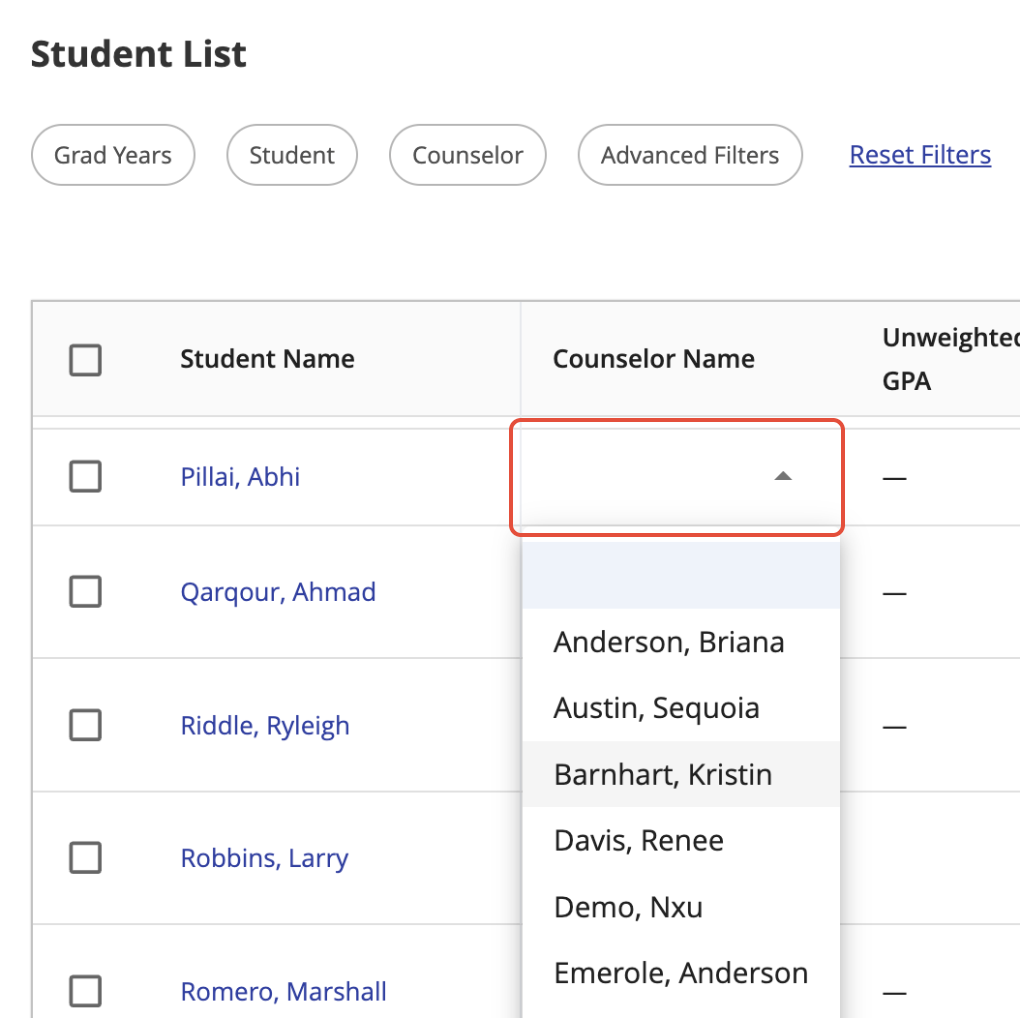
- From a student list: Find the student, click directly on the Counselor Name field inline, and select the counselor from the dropdown.
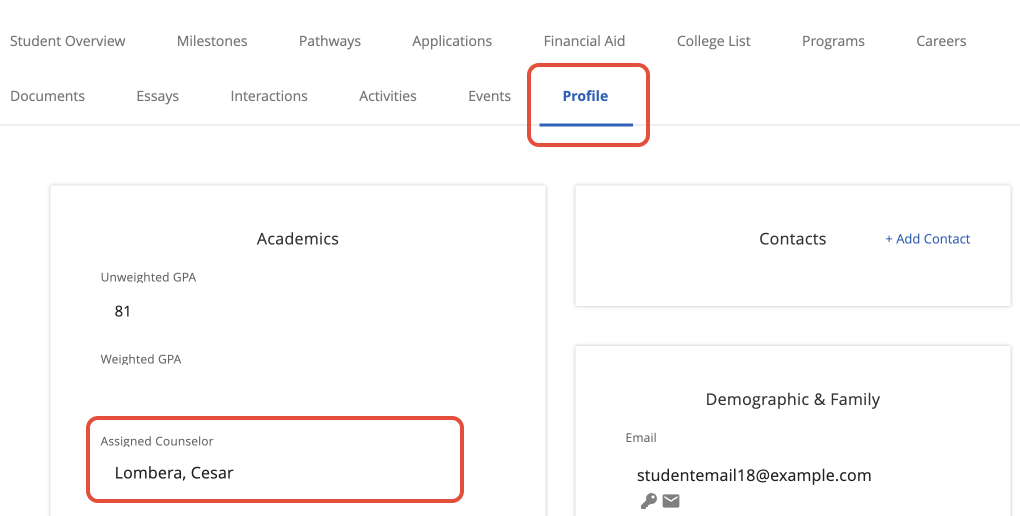
- From the student's profile: Search for the student or navigate to them from a student list. Select the Profile tab, find the Assigned Counselor field under Academics, select the counselor, and click the checkmark to save.
In Bulk
To update the Assigned Counselor field for multiple students at once, follow the instructions for Bulk Uploading Student Information. Your spreadsheet will need to include a column for Assigned Counselor along with the student ID or email address to identify each student.
Was this article helpful?
That’s Great!
Thank you for your feedback
Sorry! We couldn't be helpful
Thank you for your feedback
Feedback sent
We appreciate your effort and will try to fix the article