Overview
This article is for educators who need to reset a student's password. For security reasons, student passwords are not visible to or stored by educators — but if a student is locked out or having trouble logging in, you can set a new password for them directly from their profile.
Resetting a Student's Password
- Find the student using the search bar or navigate to them from any student list.
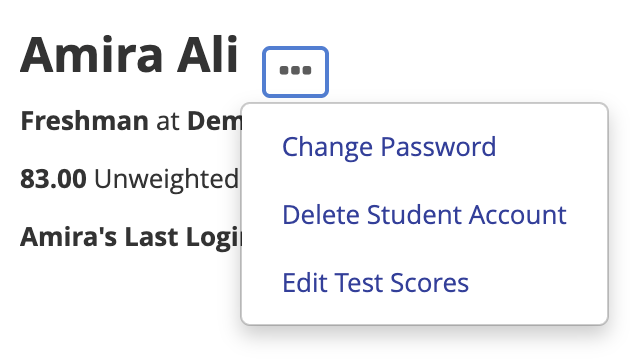
- On the student's profile, click the ... menu next to their name and select Change Passwordn
- Enter and confirm a new password for the student.
- Share the new password with the student so they can log in at overgrad.com using their email address and the new password.
Still need help? Contact the Overgrad support team at support@overgrad.com.
Was this article helpful?
That’s Great!
Thank you for your feedback
Sorry! We couldn't be helpful
Thank you for your feedback
Feedback sent
We appreciate your effort and will try to fix the article