The Purpose Compass is only available to Overgrad Pro customers with AI Features enabled. Please connect with an Overgrad rep if you are interested in learning more.
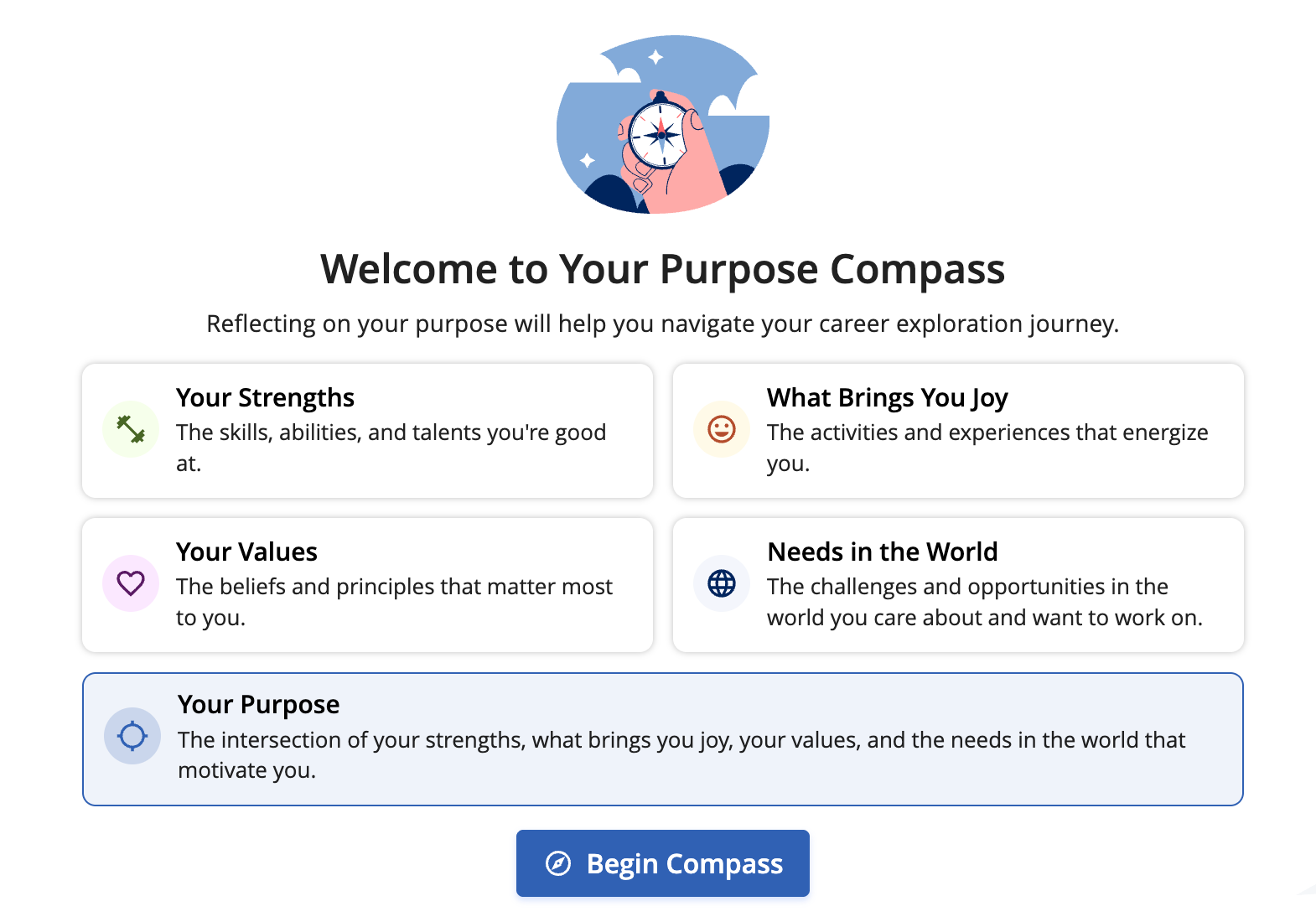
Your Purpose Compass is a tool designed to help you navigate your career exploration journey. It’s comprised of 4 components:
Your Strengths: The skills, abilities, and talents you’re good at
What Brings You Joy: The activities and experiences that energize you
Your Values: The beliefs and principles that matter most to you
Needs in the World: The challenges and opportunities in the world you care about
Your Purpose is the intersection of these 4 components, which will help guide you towards post-secondary pathways. Your Purpose Compass is always evolving–as you get deeper into your exploration, be sure to return here to capture what’s changing and coming to light about your purpose.
Prefer a video? Learn about the Purpose Compass here
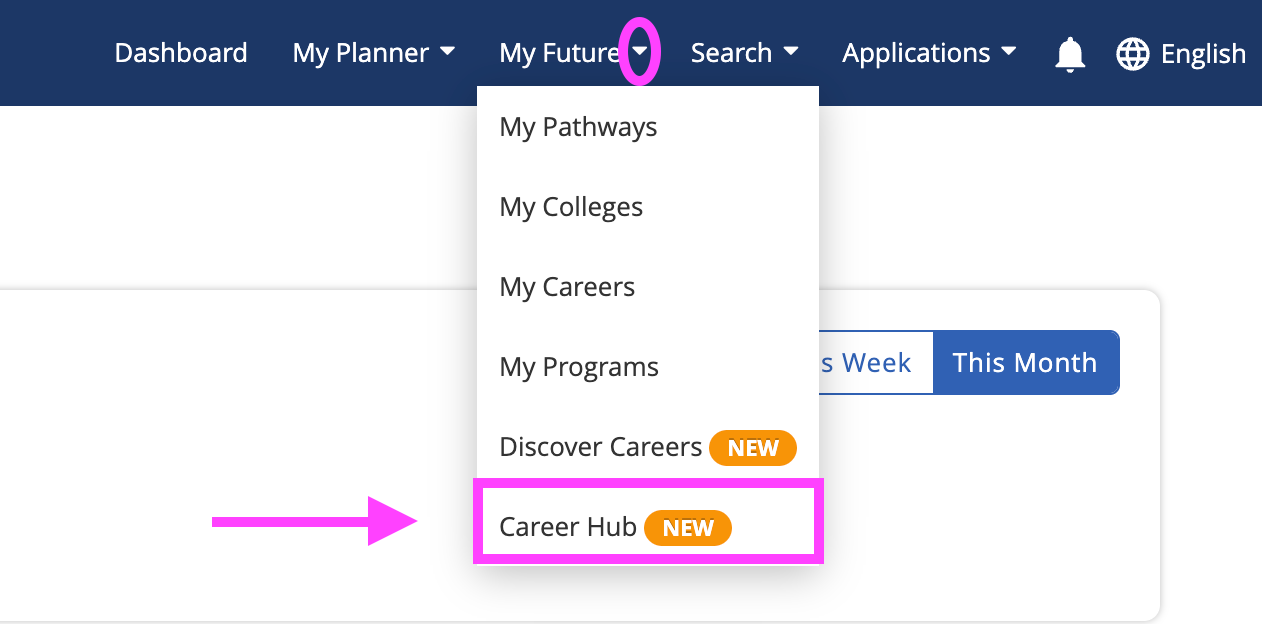
Step 1: Go to your Career Hub
From your Navigation Menu: Click on the My Future drop down and select Career Hub
Step 2: Navigate to your Purpose Compass
If it’s your first time working on your Purpose Compass, you will see this banner to start your Compass
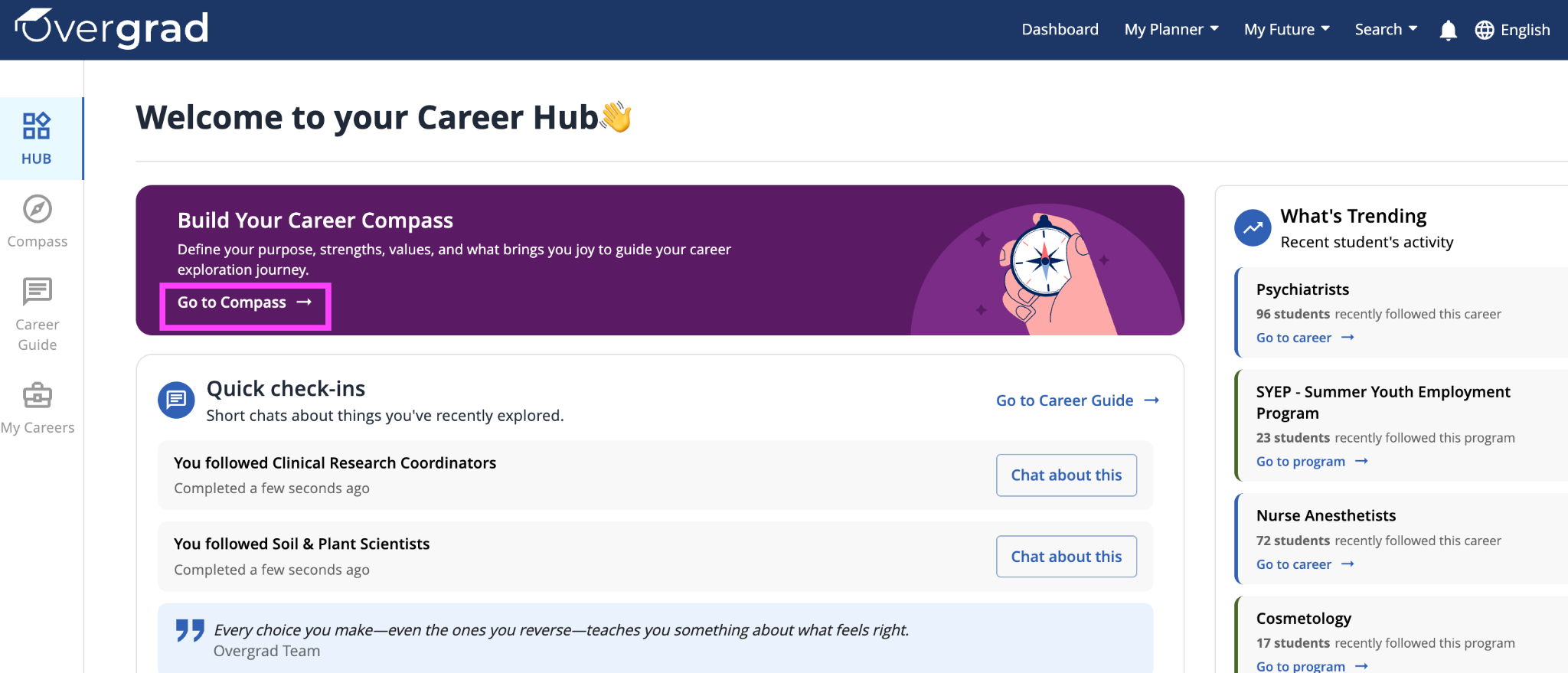
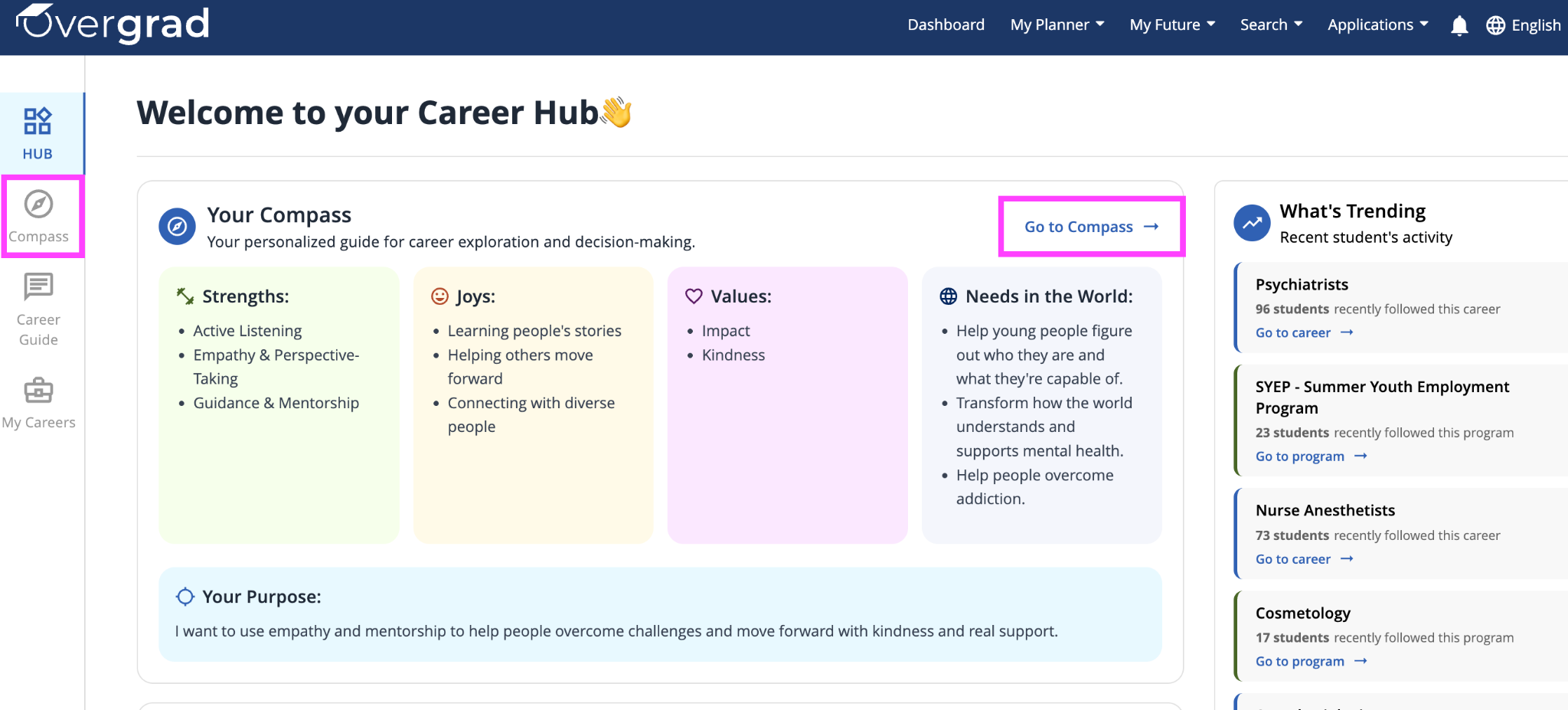
If you are returning to revise your Purpose Compass, click on either the Compass icon on the left hand toolbar or “Go to Compass” above your completed Compass.
Step 3: Completing your Strengths
On each page, there is space for you to reflect and input your responses for each component of the Purpose Compass. Write what comes to mind and know you can always come back to revise! Type in your response, then click ✅ to save. You can click the pencil icon to revise or ❌ to delete.
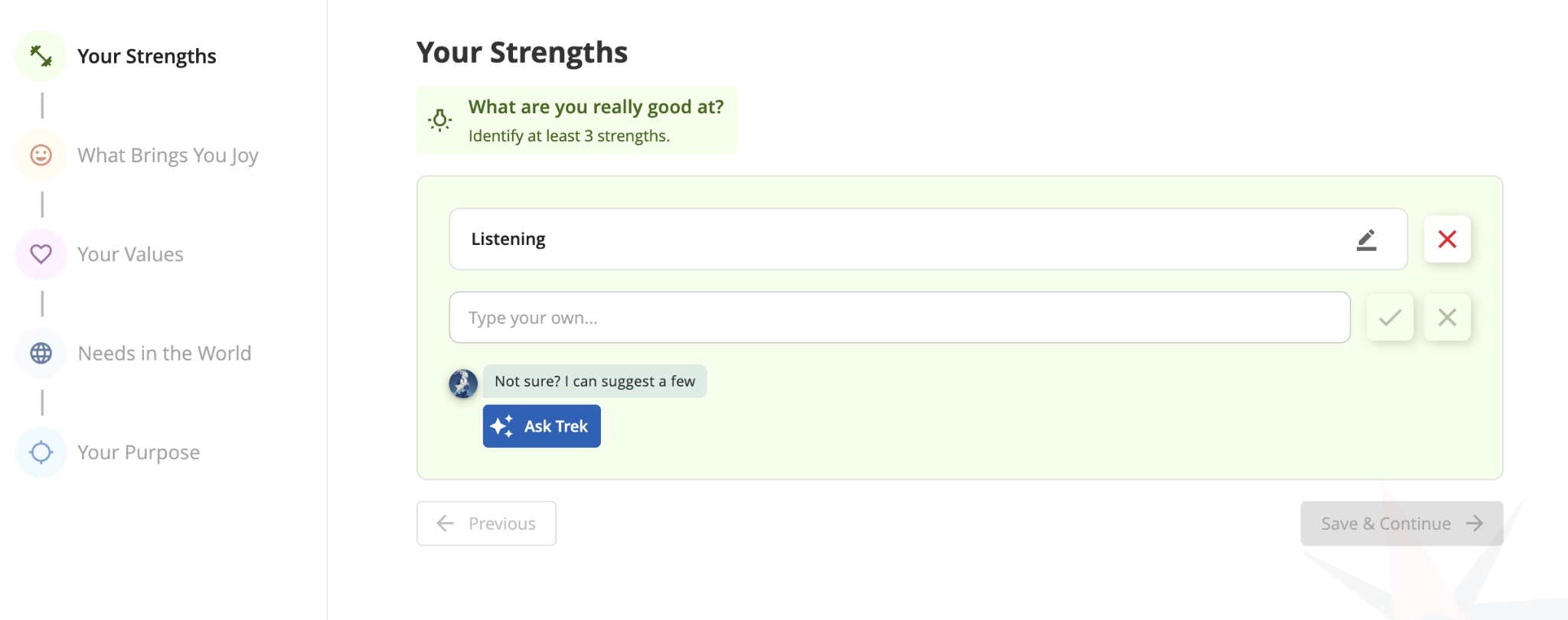
If you get stuck, click “Ask Trek” and Trek will share some suggestions based on your historical activity on Overgrad. Click any of Trek’s suggestions to add it to your list.
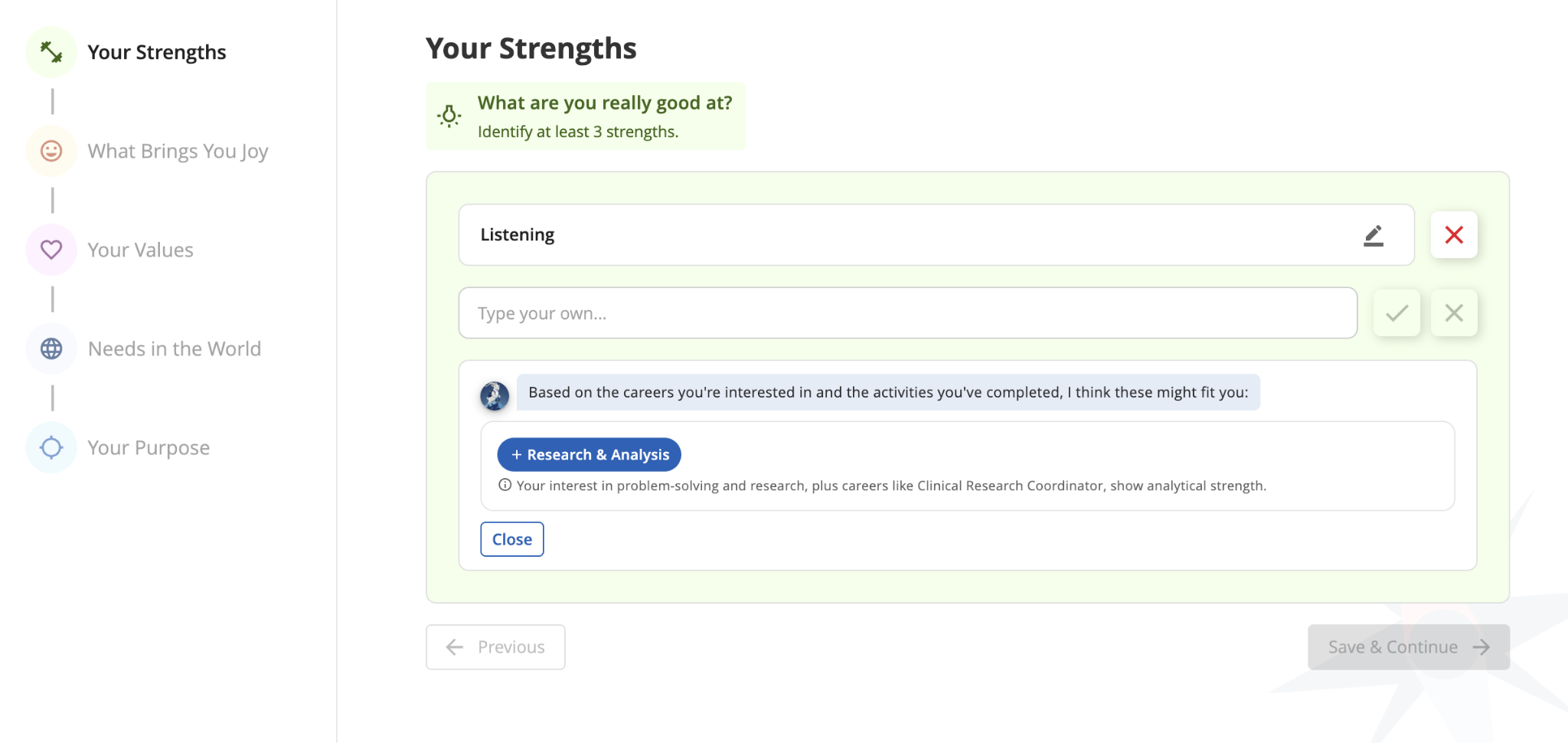
Once you’re happy with your list of strengths, click “Save & Continue” to move on to the next section
Step 4: Completing What Brings You Joy, Your Values, and Needs in the World
Follow the same steps as Your Strengths to complete the remaining 3 components of your Purpose Compass.
Step 5: Writing Your Purpose Statement
Your Purpose Statement represents what is most important to you. When you read it, you should feel "that sounds like me!" Based on your previous responses, Trek will suggest 3 Purpose Statements for you to choose from. If none of these sound quite right, click “Write my own” to write yours from scratch.
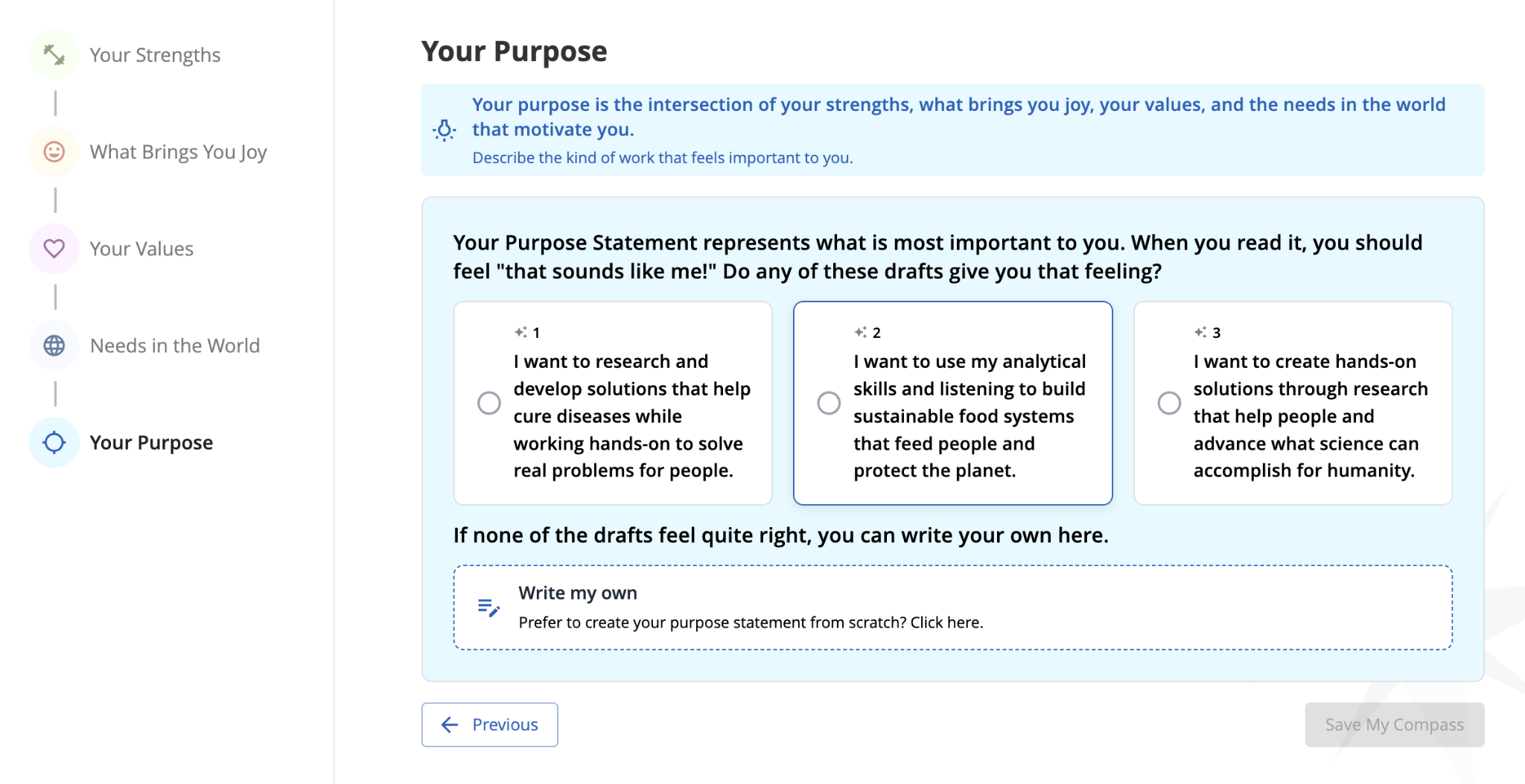
Once you are happy with your Purpose Statement, click “Save My Compass”. Below your saved Compass, you will now see new career recommendations from Trek based on your new responses!
Was this article helpful?
That’s Great!
Thank you for your feedback
Sorry! We couldn't be helpful
Thank you for your feedback
Feedback sent
We appreciate your effort and will try to fix the article