The Career Hub is only available to Overgrad Pro customers with AI Features enabled. Please connect with an Overgrad rep if you are interested in learning more.
Accessing your Career Hub
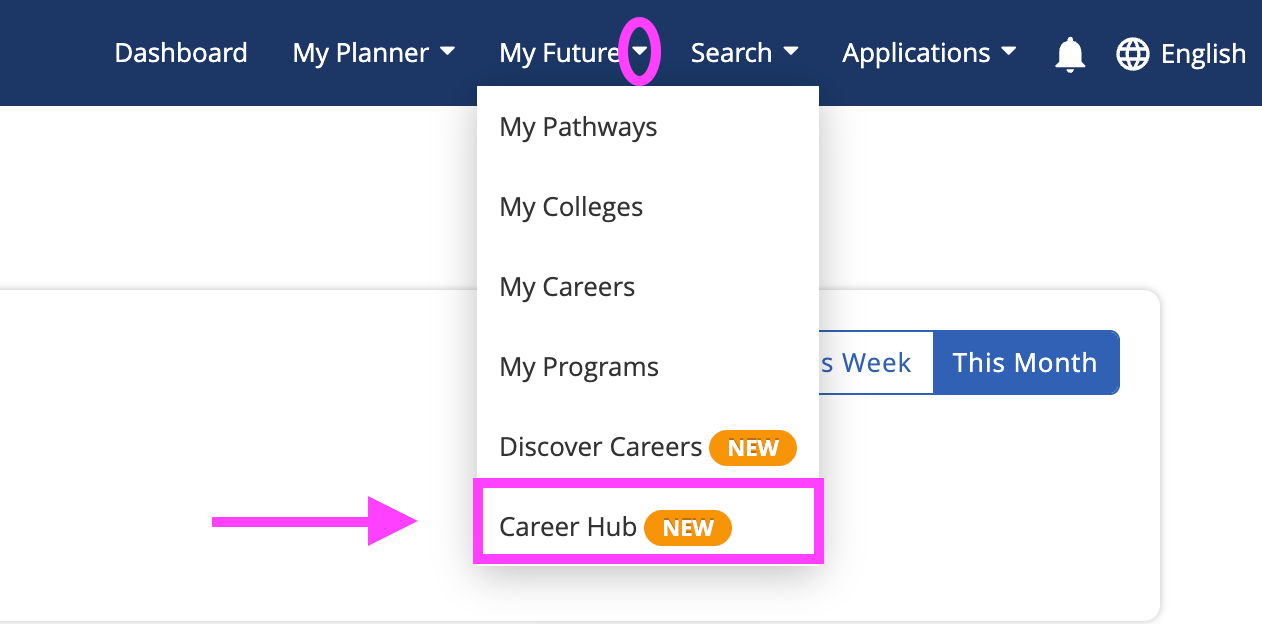
From your Navigation Menu: Click on the My Future drop down and select Career Hub
From your Career Hub, you can:
Create or edit your Purpose Compass
See trending student activity
Check in with Trek
See Recommended Careers
View My Careers
Was this article helpful?
That’s Great!
Thank you for your feedback
Sorry! We couldn't be helpful
Thank you for your feedback
Feedback sent
We appreciate your effort and will try to fix the article