Some of these features are only available to Overgrad Pro customers with AI Features enabled. Please connect with an Overgrad rep if you are interested in learning more.
When you click on a career, you will land on that career's profile page. You might get there from your survey results, a career search, or your list of followed careers. This page uses information from the Bureau of Labor Statistics (BLS) and O*NET. It can help you learn what the career is like, how much it pays, and what path could lead to it. Here is what you will find on the page.
If you have any questions about the information on this page, you can chat with Trek to get answers or additional information. This feature is only available for AI-enabled schools.
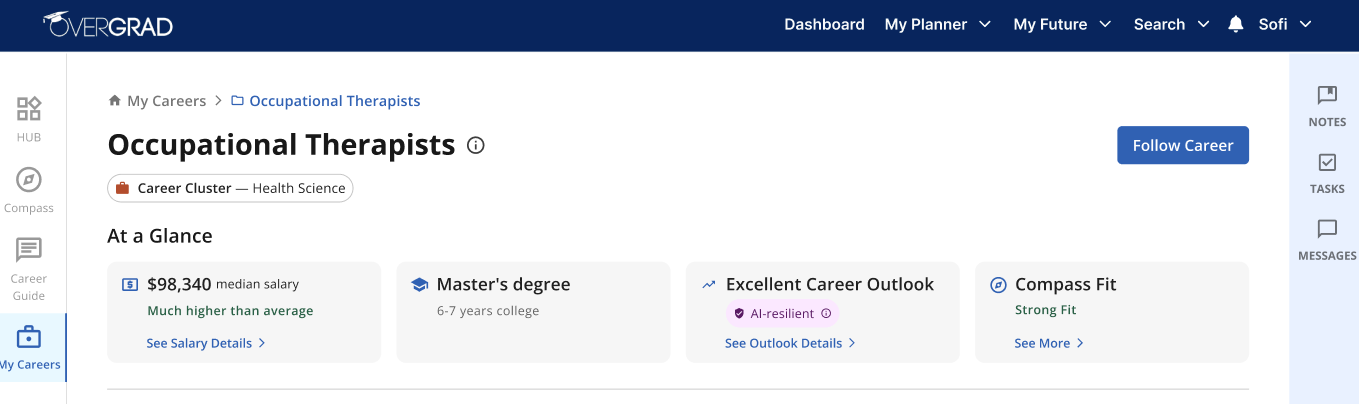
At a Glance
Near the top of the page, you will see a few quick facts and labels:
Career Cluster: the general field the career belongs to (like Finance).
Median Salary: the middle salary for this career, plus a description of how it compares to other careers. Click “See Salary Details” for state-specific information and salary comparisons across experience.
Training/Education Required: the training or education usually needed to start in this career, plus an estimate of how long it will take
Career Outlook: a label, such as "Excellent career outlook," based on how fast the job is growing, how many openings there are, and how much it pays, and a “AI-resilient” badge for careers that are less likely to be affected by AI, based on the career's main tasks. Click “See Outlook Details” for more detailed information on job growth and job openings.
Compass Fit: once you have completed your Purpose compass, this will show a comparison of how this career compares to your Purpose Compass. Click “See More” to see a detailed analysis. This feature is only available for AI-enabled schools.
Each career profile page is split into 2 tabs:
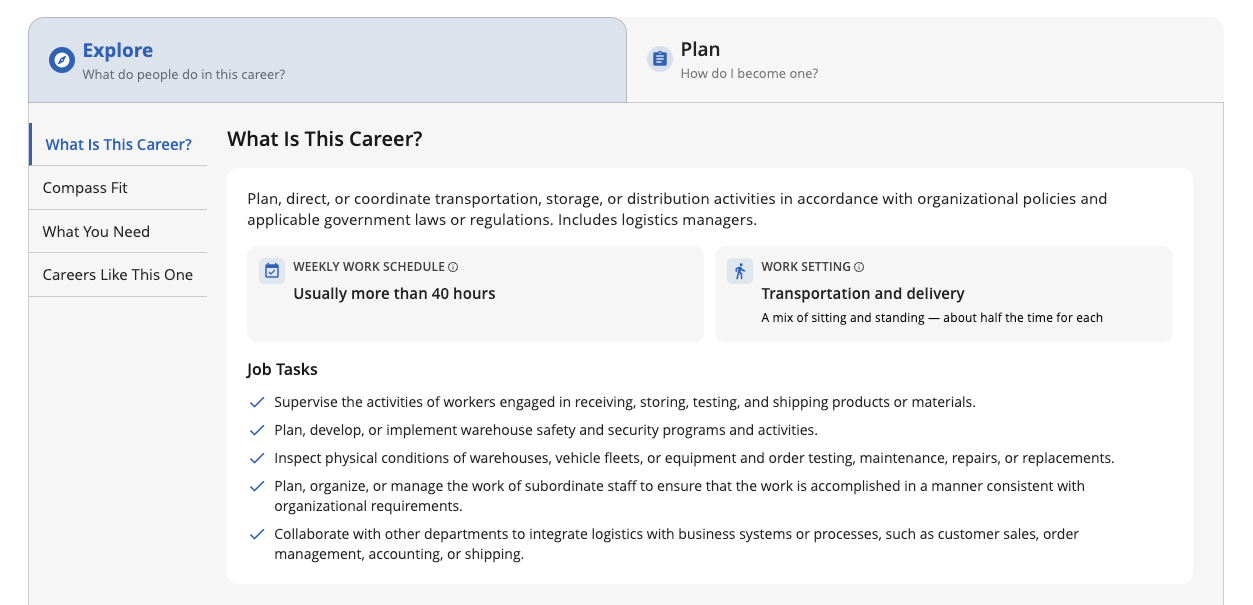
Explore: in this tab, you can learn more about what people do in this career.
What is this Career? An overview of the career’s goals, common tasks, typical work schedule and setting, and level of social interaction. You can also watch a video to see the job in action.
What would you do in this role? For select careers, you can play a Career Story or 3D Simulation to play as a character in this career. You’ll navigate real-life scenarios and see these job tasks come to life.
Compass Fit: A detailed analysis of how this career compares to what you’ve said is important in your Purpose Compass. This feature is only available for AI-enabled schools.
What You Need for this Career: Knowledge and skills that are important in this career
Careers Like This One: Other careers worth exploring if you are interested in this career
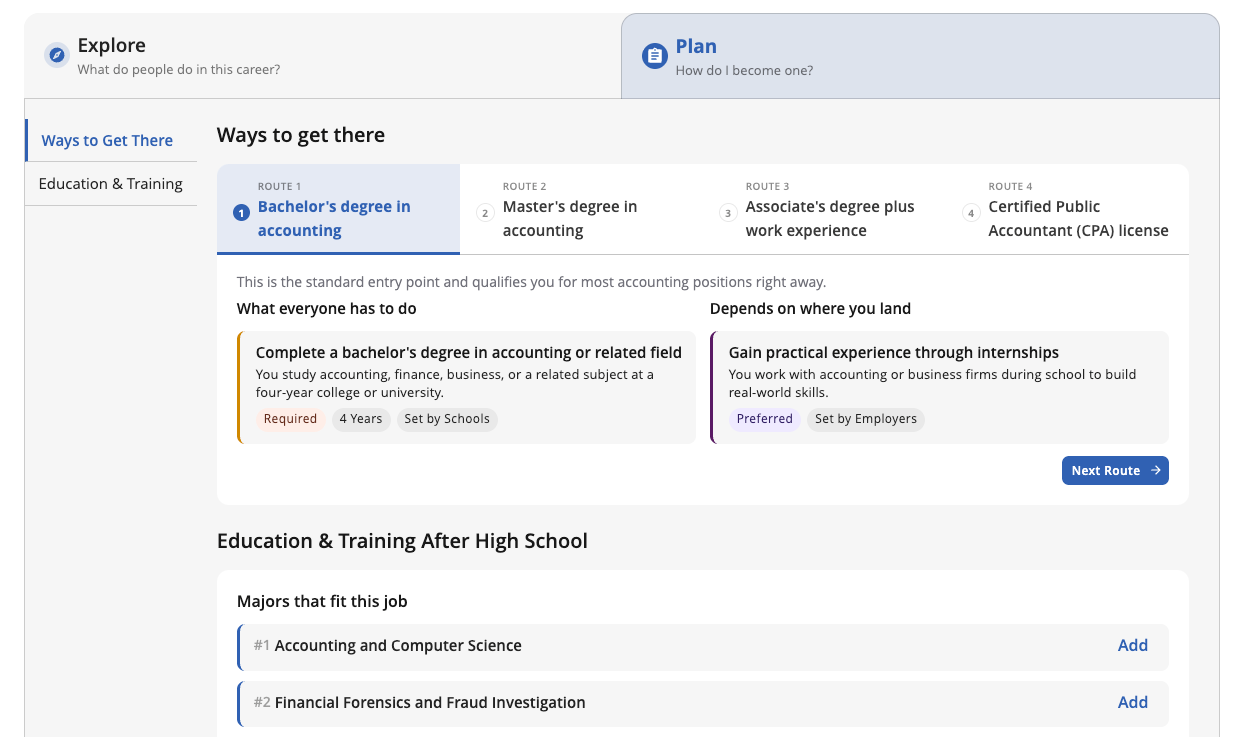
Plan: in this tab, you can start planning your next steps towards this career.
Ways To Get There: This section helps you visualize what the next several years after high school might look like if you pursued this career. For most careers, there is more than one way to complete the education/training required for the role. Each tab in this section outlines a different route you can take, indicating which steps are required or variable. You can also watch a video to see how people typically get started in the career.
Education & Training: This section provides more information about the education & training recommended for this career, including college majors and colleges. You can add or follow majors and colleges here to add them to your My Colleges page.
Was this article helpful?
That’s Great!
Thank you for your feedback
Sorry! We couldn't be helpful
Thank you for your feedback
Feedback sent
We appreciate your effort and will try to fix the article