Overview
This article is for students who need to connect their Common App account to Overgrad. Once linked, Overgrad can access your application details and your counselor can send required documents to your Common App schools.
Accounts can only be linked for 12th grade students beginning on August 1 of their senior year. Connect with your counselor to make sure you are able to proceed.
TABLE OF CONTENTS
Linking Your Accounts
- Log into your Overgrad account and go to Applications → View Applications.
- From the yellow bar at the top of the page, click the blue Link Account button.
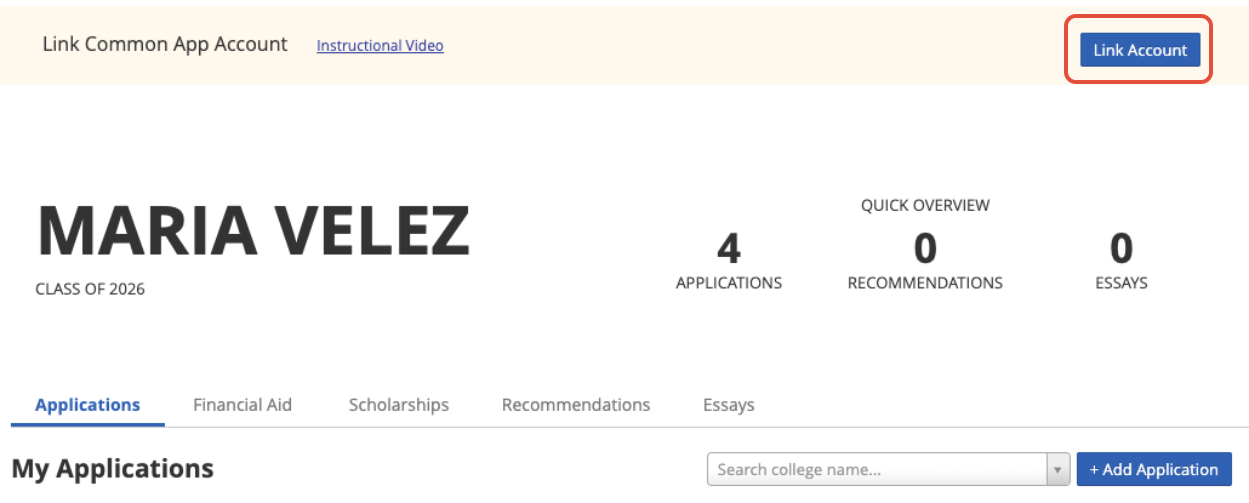
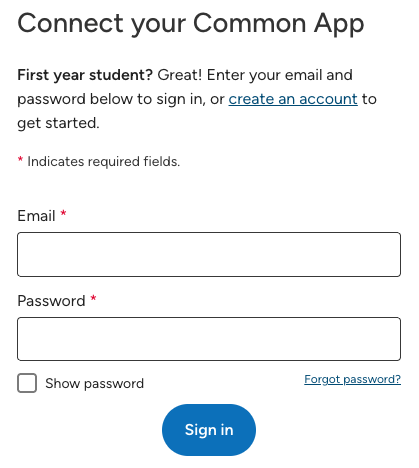
- You will be directed to the Common App. If you have a Common App account already, sign in. If not, click on create an account and fill out the required fields.
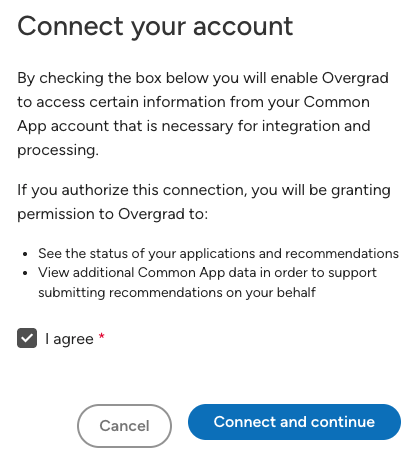
- Check the box to agree and connect your Common App account to Overgrad.
Completing the FERPA Waiver
Before your counselor can send documents for any Common App application, you'll also need to complete the FERPA waiver in Common App.
- Log into your Common App account and open My Colleges.
- Add a college to your list if you haven't already done so. Then, click on the name of any college from your list and click Recommenders and FERPA.
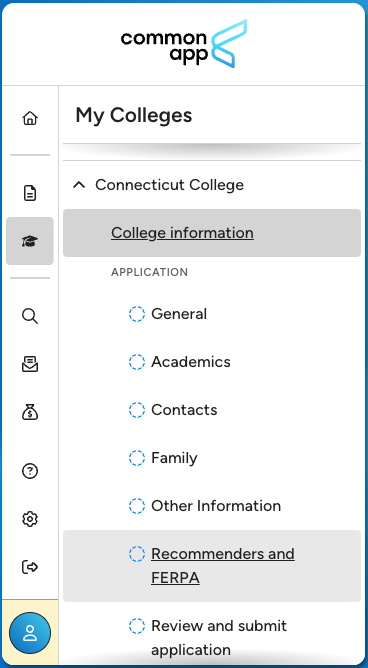
- Complete the FERPA Release Authorization. If you are unsure how to answer any questions on this form, refer to this guide.
Still need help? Contact the Overgrad support team at support@overgrad.com.
Was this article helpful?
That’s Great!
Thank you for your feedback
Sorry! We couldn't be helpful
Thank you for your feedback
Feedback sent
We appreciate your effort and will try to fix the article