This feature is only available to Overgrad Pro customers. Schools and organizations add parent and guardian contact information to student accounts, so please reach out to your child's school or organization to access Overgrad.
Educators must have "Access to Student Data" to view and modify student profiles. Contact an Account Manager at your site to modify educator permissions.
Add Contact to Student Profile
Select a student from your student list or use the search bar to find an individual student. From the student view select the "Profile" tab.
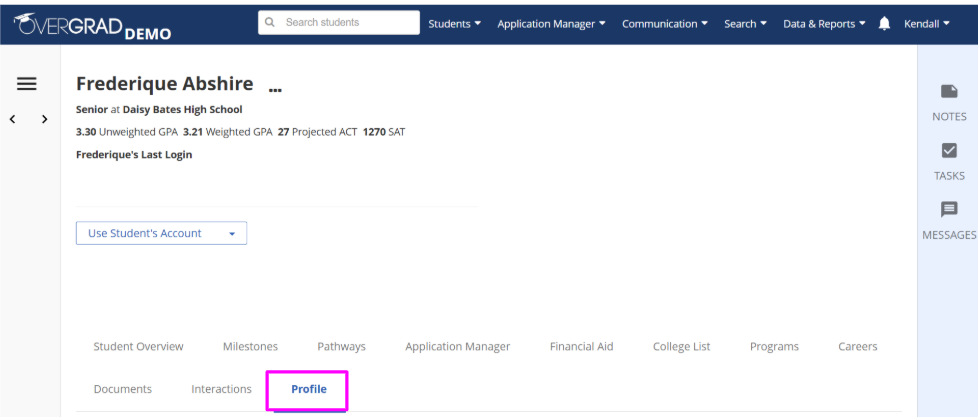
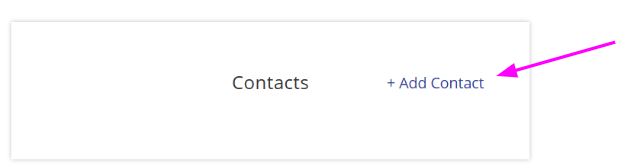
Under the Contact section of the Profile tab select "+ Add Contact".
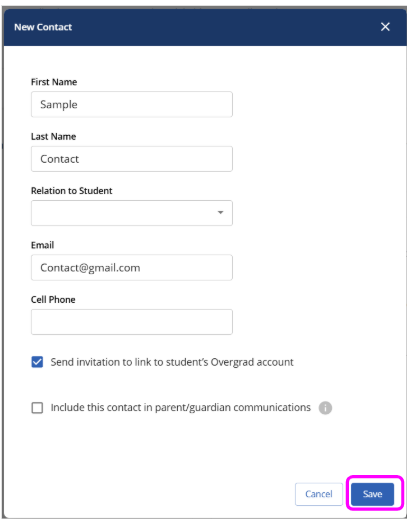
Enter contact information. First name, last name, and email are required in order to invite a contact to link to a student's account. Hit "Save" when you have ensured the contact information is accurate.
To Link Accounts
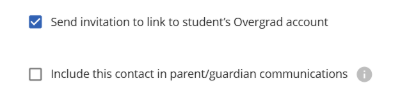
*Selecting "Send invitation link to student's Overgrad account" will send an email inviting the contact to view the students account. See how contacts navigate their dashboard.
*Selecting "Include this contact in parent/guardian communications" will enable educators to have the option to copy this contact in messages sent to the student once the account is linked.
Was this article helpful?
That’s Great!
Thank you for your feedback
Sorry! We couldn't be helpful
Thank you for your feedback
Feedback sent
We appreciate your effort and will try to fix the article