Some of the information you track in Overgrad is sent to STARS, like each student's assigned counselor, future goals, and the 1 on 1 Postsecondary Planning Conferences and Annual Individual Progress Reviews you log. The STARS Required Fields list shows all of this in one place, so you can quickly see which students are missing information and fill it in.
TABLE OF CONTENTS
- Open the STARS Required Fields list
- Find students with missing information
- Fill in missing information
- See how complete your data is
Open the STARS Required Fields list
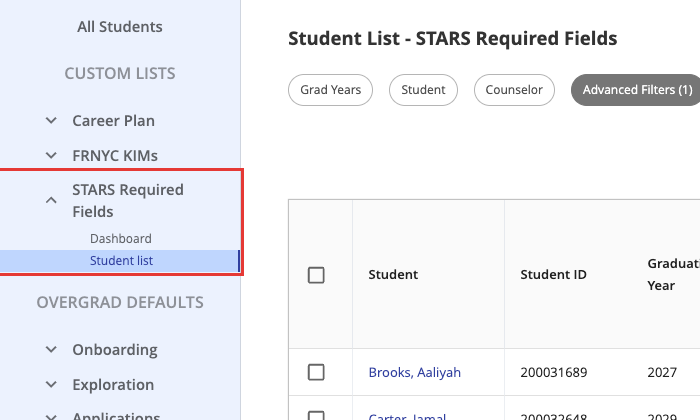
On your student list, look under Custom Lists in the left panel and click STARS Required Fields. You'll see two views:
- Student list: every student and their STARS fields, so you can find and fill in what's missing.
- Dashboard: charts and percentages showing how complete your data is.
Find students with missing information
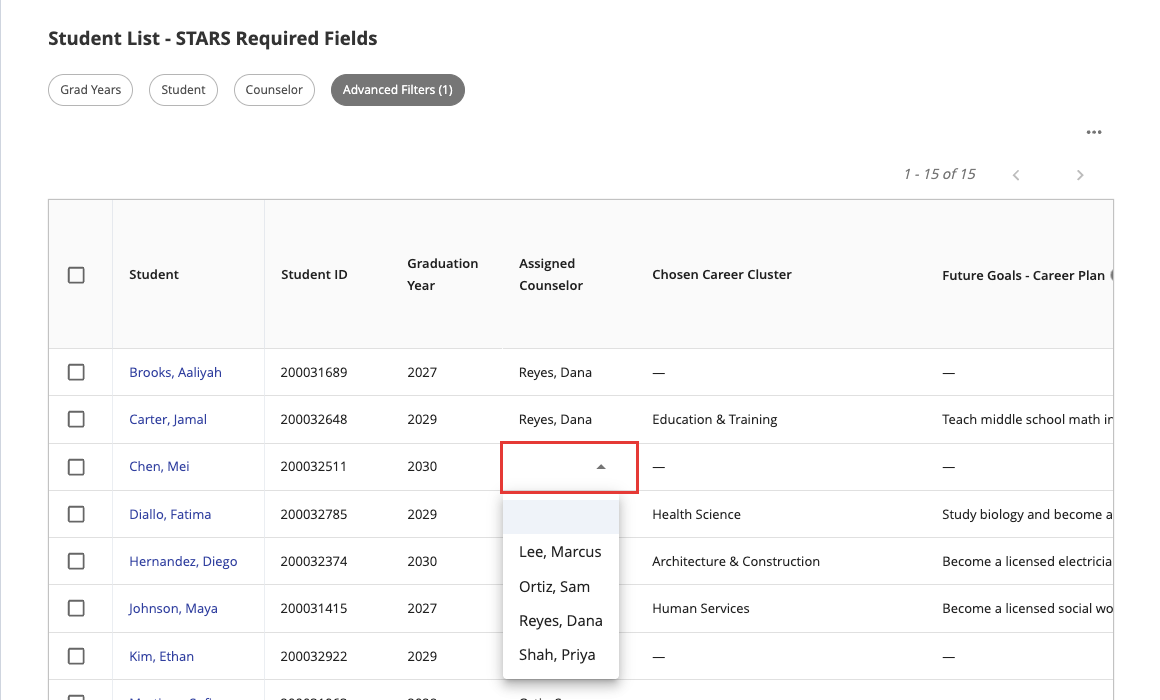
Click Student list. Each row is a student, and a dash (—) means that field is empty.
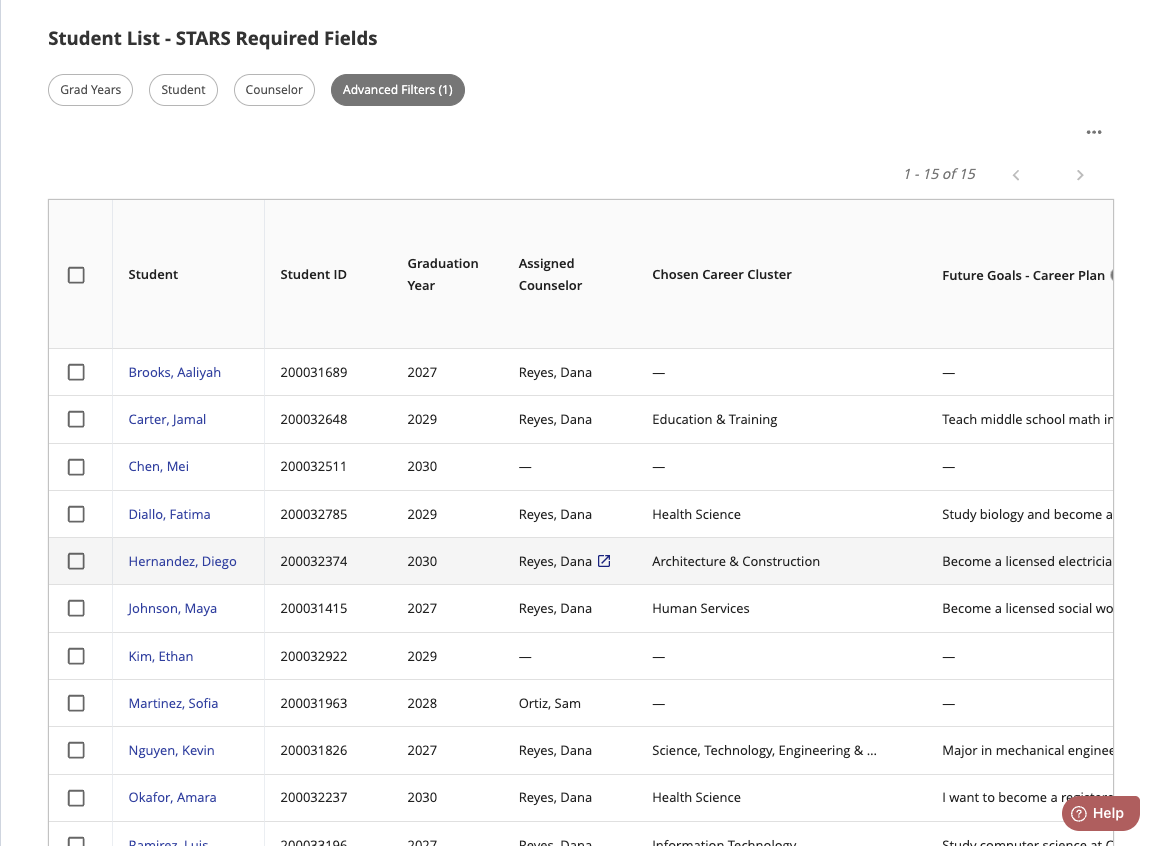
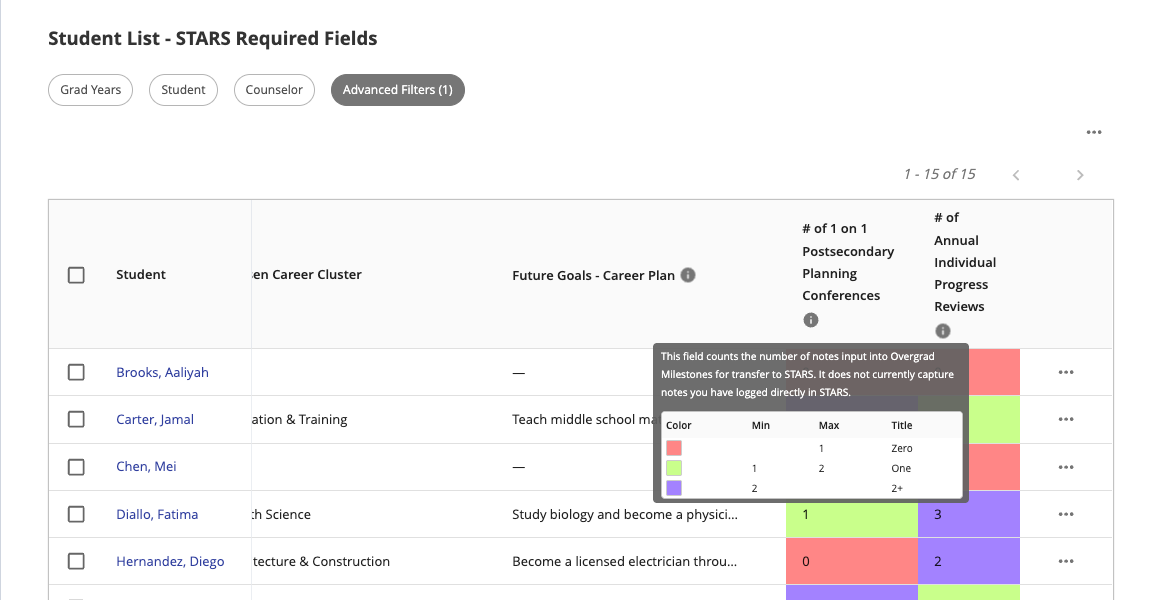
| Column | What it shows |
|---|---|
| Student ID and Graduation Year | To help you identify each student. |
| Assigned Counselor | The student's assigned college and career counselor. |
| Chosen Career Cluster | The career cluster chosen for the student. |
| Future Goals - Career Plan | A few sentences about the student's future goals and career plan. It should be updated every year. |
| # of 1 on 1 Postsecondary Planning Conferences | How many notes have been logged on the student's 1 on 1 Postsecondary Planning Conference milestone. |
| # of Annual Individual Progress Reviews | How many notes have been logged on the student's Annual Individual Progress Review milestone. |
Tip: Use the Grad Years, Student, and Counselor filters at the top to narrow the list, for example to just your caseload or one graduating class.
Fill in missing information
You can update Assigned Counselor, Chosen Career Cluster, and Future Goals - Career Plan right from the list. Click the cell you want to change:
- Future Goals - Career Plan: type the student's goals and career plan, then press Enter to save. Press Esc to cancel.
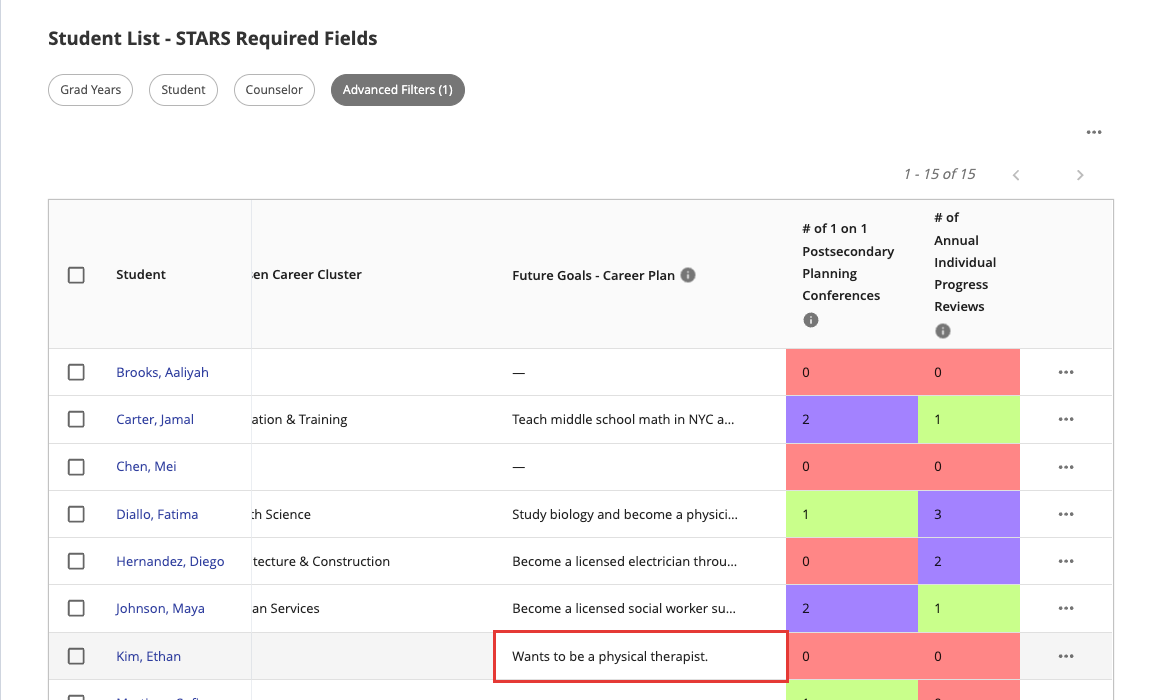
- Assigned Counselor and Chosen Career Cluster: Choose an option from the dropdown.
To learn where these fields live on a student's page, see STARS Fields.
The 1 on 1 Postsecondary Planning Conferences and Annual Individual Progress Reviews columns can't be edited in the list. They count the notes logged on each student's milestones. To log one, for a single student or in bulk, see STARS Experiences.
Heads up: The values in the STARS Required Fields list only refresh overnight, so a note you add today won't show up in the count until tomorrow.
Important: These counts only include notes logged in Overgrad Milestones. Notes you've logged directly in STARS won't show up here.
Not sure if something counted? Reach out to us at nyc_support@overgrad.com.
See how complete your data is
Click Dashboard under STARS Required Fields.
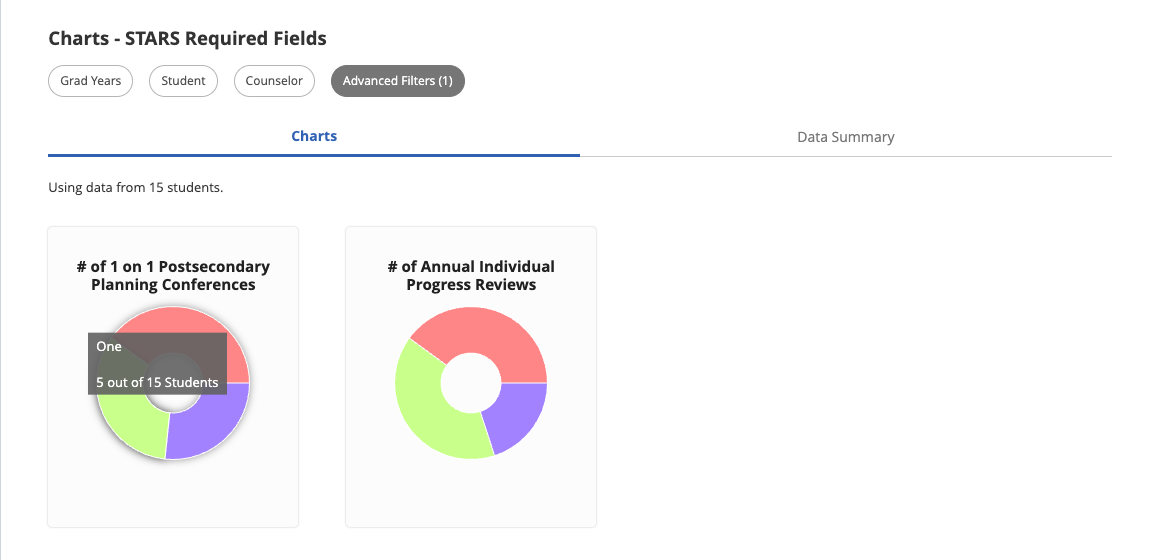
The Charts tab shows how many students have zero, one, or two or more 1 on 1 Postsecondary Planning Conferences and Annual Individual Progress Reviews. Hover over a section to see the number of students.
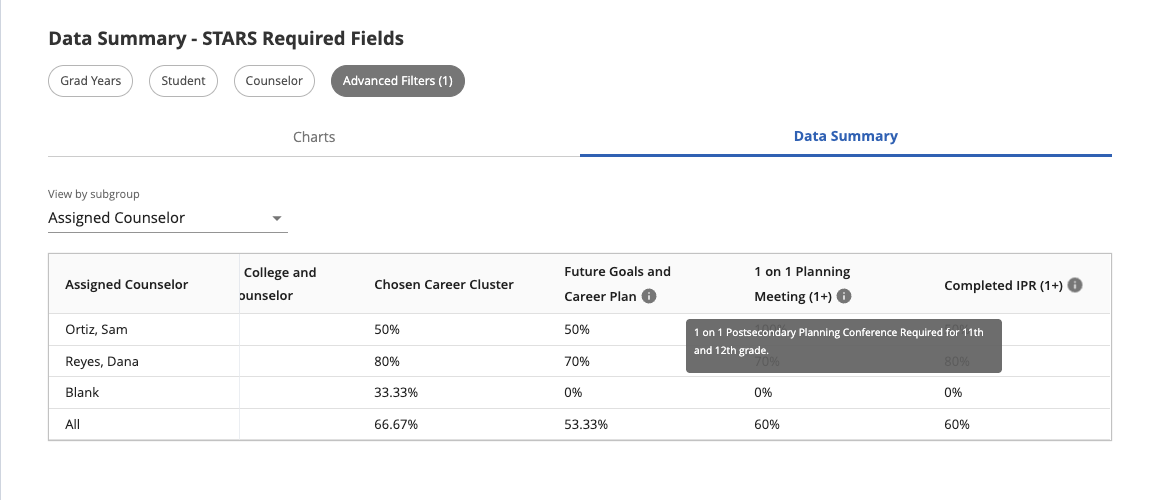
The Data Summary tab shows the percent of students who have each field filled in, broken down by assigned counselor. The All row shows the totals for the whole list.
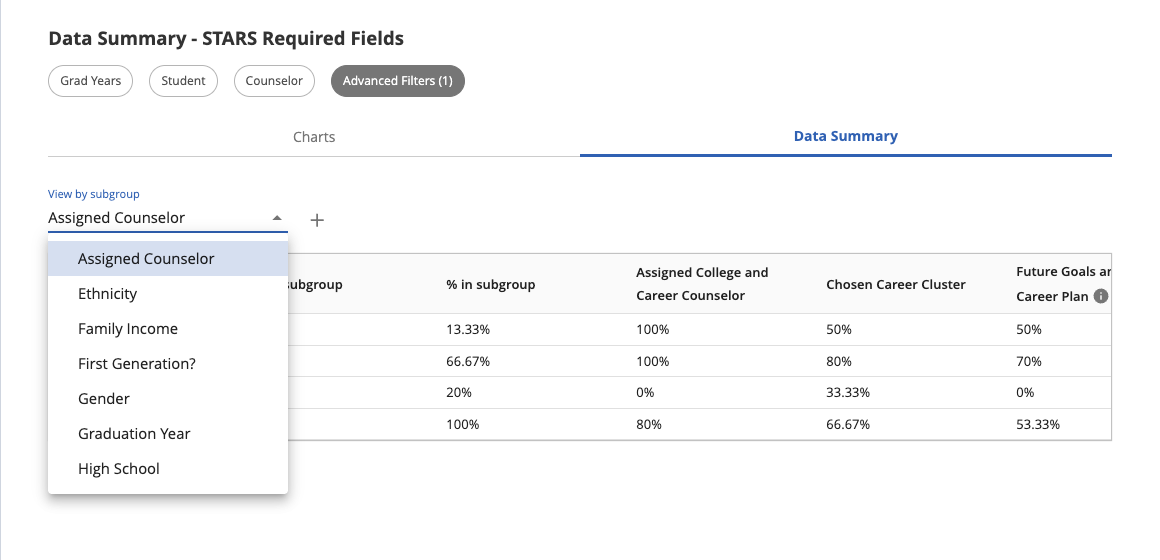
 To see the breakdown a different way, choose another option under View by subgroup, like Graduation Year.
Was this article helpful?
That’s Great!
Thank you for your feedback
Sorry! We couldn't be helpful
Thank you for your feedback
Feedback sent
We appreciate your effort and will try to fix the article