Overview
This article is for educators who need to track FRNYC students' progress toward KIMs completion in Overgrad. It covers how data flows between Overgrad and STARS, how to view high-level completion data, track individual students, and take action on students who still need to complete required activities.
TABLE OF CONTENTS
- Overview
- How Data Flows Between Overgrad and STARS
- Viewing Overall Completion
- Tracking Individual Students Completion
How Data Flows From Overgrad to STARS
Data flows from Overgrad to STARS, but not the other way around. Information entered directly in STARS will not appear in Overgrad.
Overgrad sends a batch of data to STARS every Thursday night, which means updated figures are typically available in STARS on Fridays. If you need the most current completion data, check Overgrad rather than STARS.
- One exception: Career Reflection Survey completion data updates in Overgrad once per day overnight, so it won't appear in real time on student lists. It will, however, reflect current completion in Communication → Custom Surveys.
Viewing Overall Completion
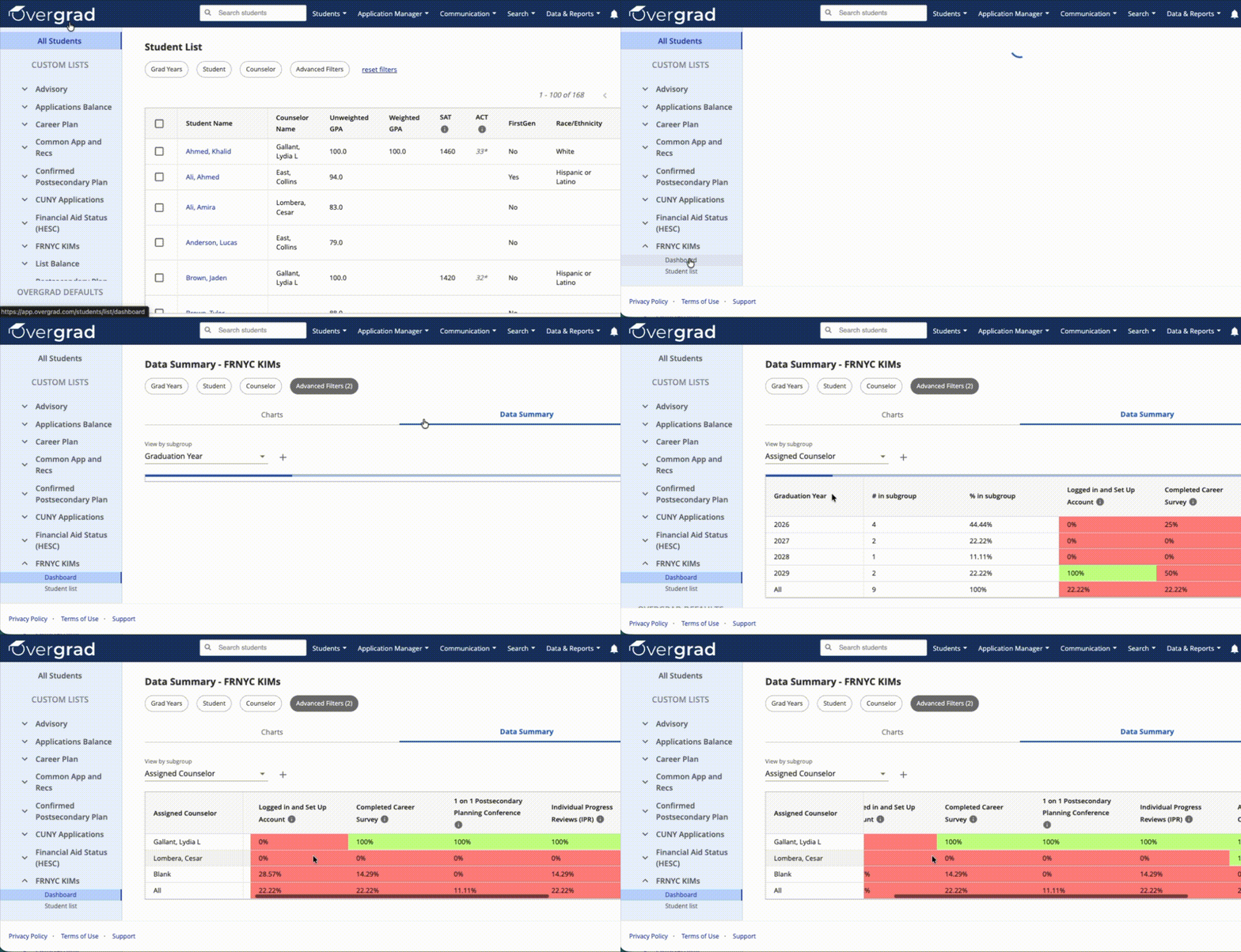
To see a high-level snapshot of Career Survey and Career Reflection Survey completion across your FRNYC caseload:
- From your Custom Lists, select FRNYC KIMs → Dashboard.
- Click Data Summary.
- Adjust the subgroup to filter your view — common selections include Graduation Year and Assigned Counselor.
This will display completion percentages for the selected group.
Tracking Individual Students' Completion
Career Survey, IPRs, and 1-on-1s
From Custom Lists, select FRNYC KIMs → Student List.
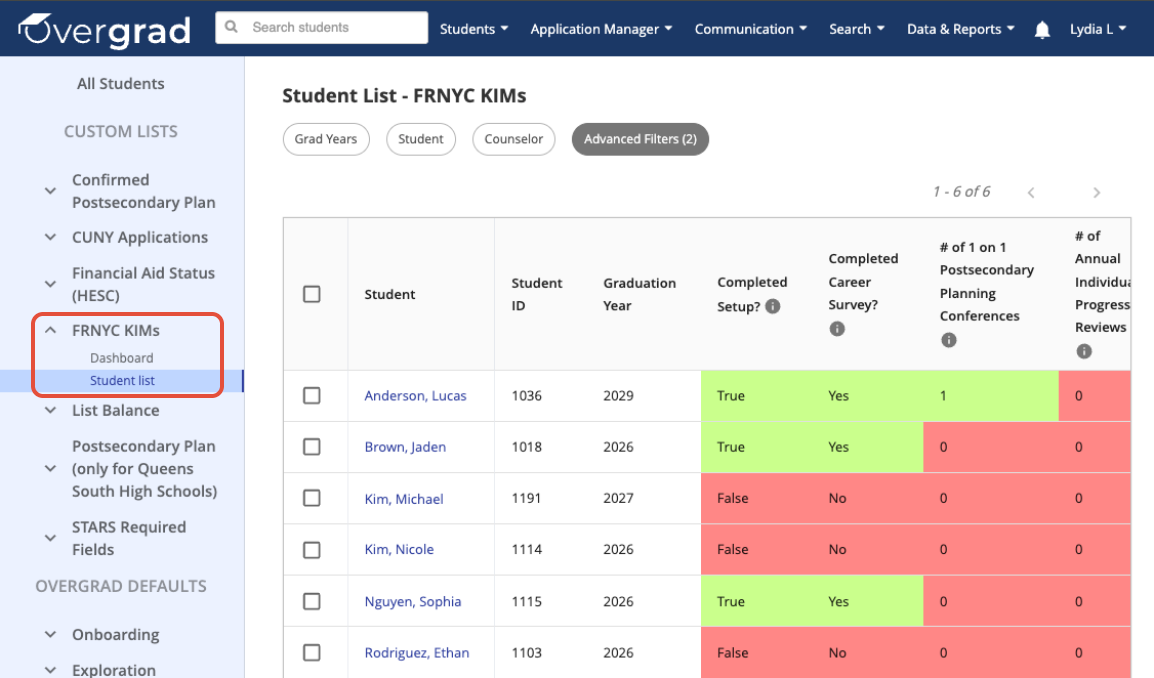
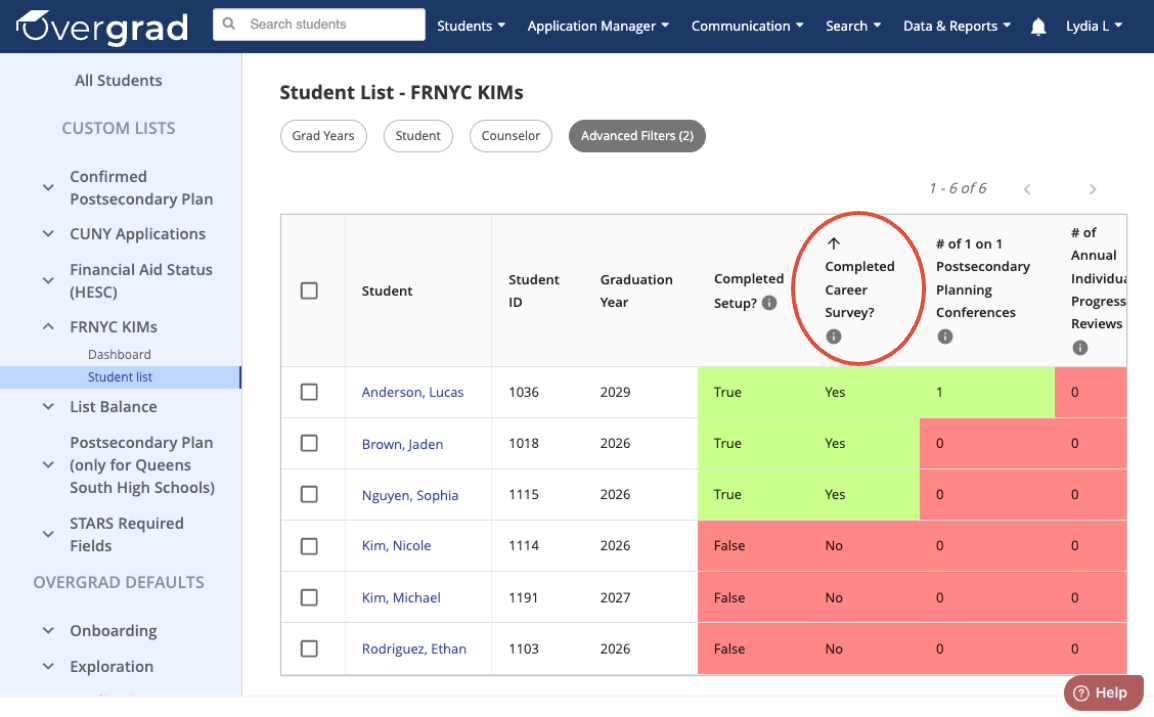
Find the column you'd like to see completion status for. Click the column header to sort by completion status.
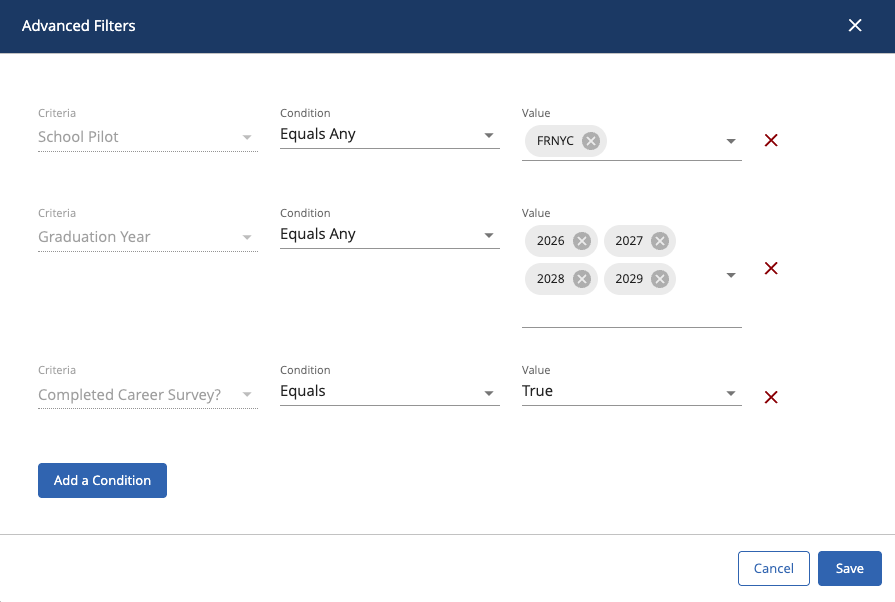
To filter your list further, click Advanced Filters → Add a Condition.
- For Criteria, select Completed Career Survey?, # of Annual Individual Progress Reviews, or # of 1 on 1 Postsecondary Planning Conferences.
- For Condition, select Equals
- For Value, select True to show students who have completed it, or False to show students who haven't.
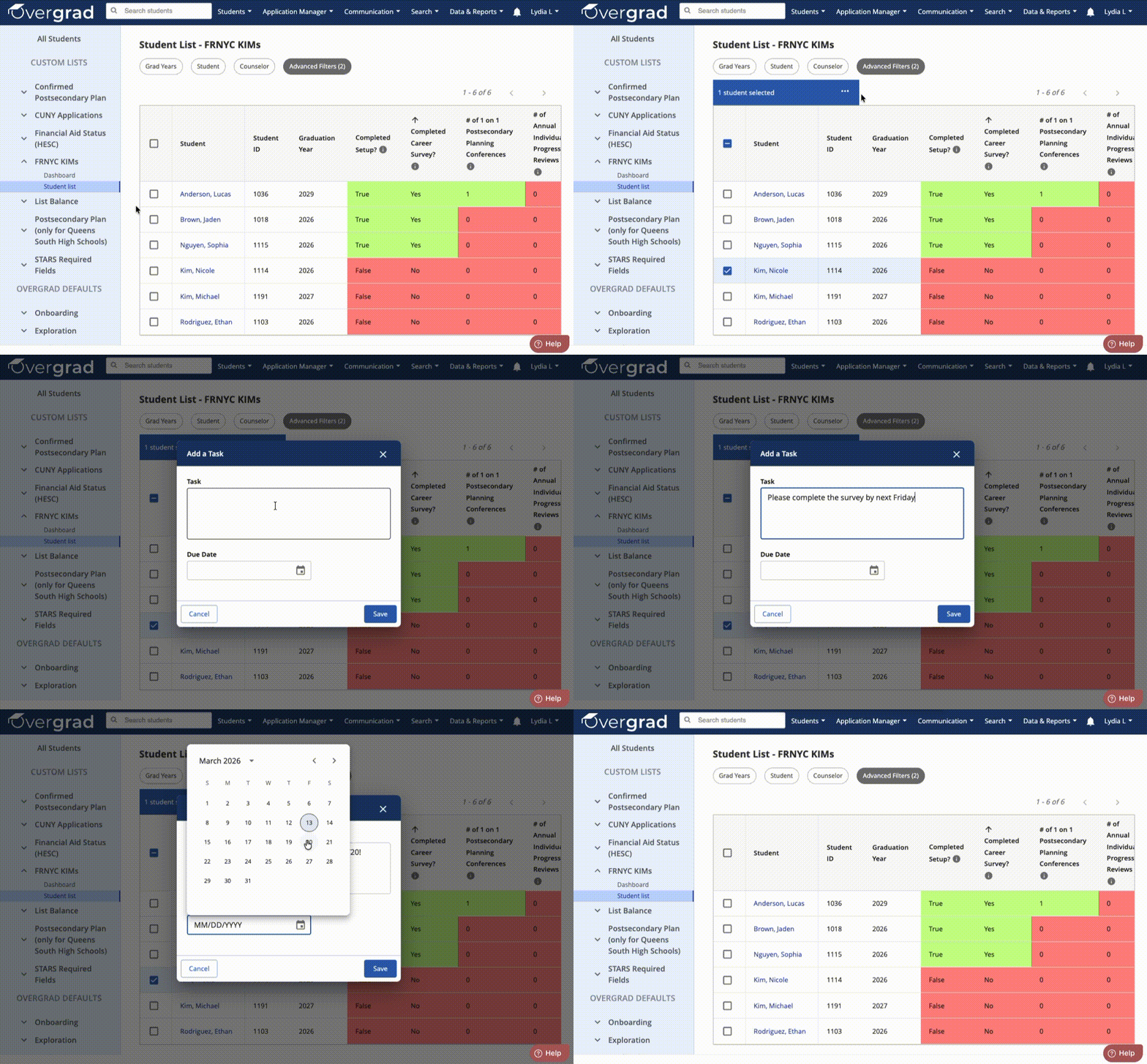
Once you've identified students who have not yet completed a KIM, you can select their checkboxes to Add a Task, or Send a Message to nudge them to do so.
Note: The Career Survey must be completed by the student from their own student account. IPRs and 1-on-1s must be completed by the educator from their own educator account.
Career Reflection Survey
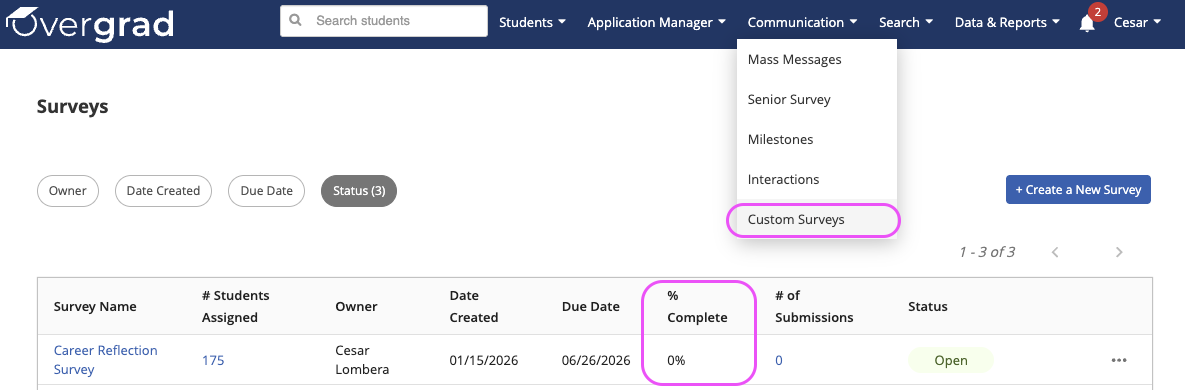
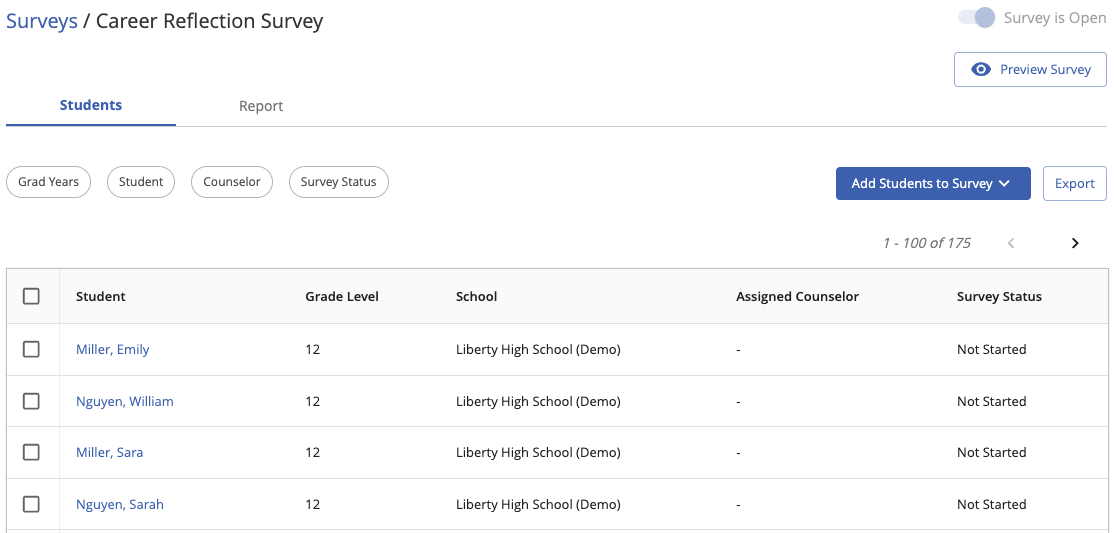
For overall student progress and to review results, you can navigate to Communication → Custom Surveys. The table will show overall completion and clicking into the survey name will allow the viewing of results and an exportable list of individual student progress.
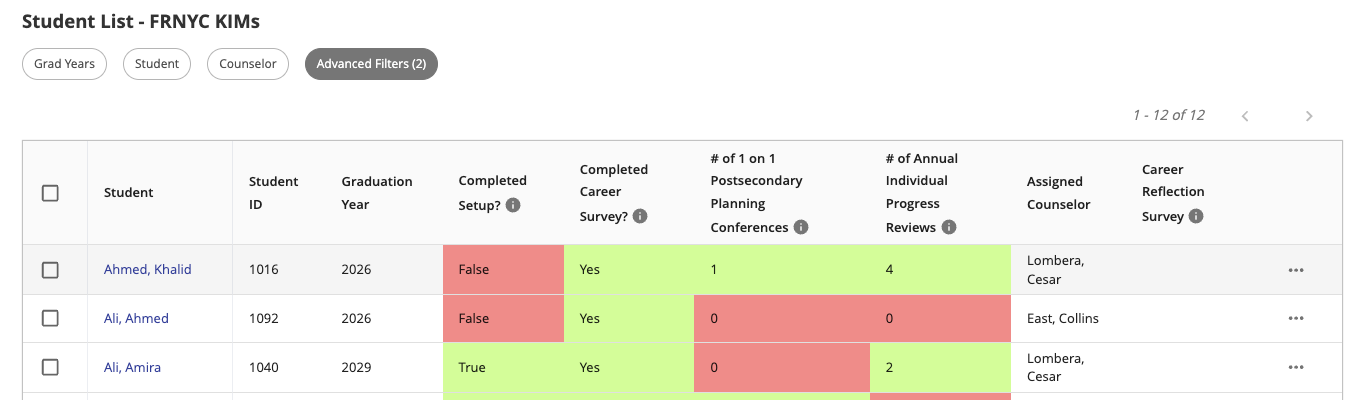
Just like the Career Survey, you can also use the FRNYC KIMs Student List to see the Career Reflection Survey completion status for individual FRNYC students. You can click the column header to sort by completion status, or use Advanced Filters. Once you've identified students who have not yet completed the survey, you can select their checkboxes to Add a Task, or Send a Message to nudge them to do so.
Note: These calculations refresh overnight each day rather than in real time.
Was this article helpful?
That’s Great!
Thank you for your feedback
Sorry! We couldn't be helpful
Thank you for your feedback
Feedback sent
We appreciate your effort and will try to fix the article