How can educators monitor KIMs completion for FRNYC students?
Educators can monitor Career Survey and Career Reflection Survey completion for FRNYC students directly in Overgrad.
- From your Customs Lists, select FRNYC KIMs > Dashboard.
- Click Data Summary.
- Adjust the subgroup you would like to view data by. (Common selections include Graduation Year and Assigned Counselor.)
- View your data %
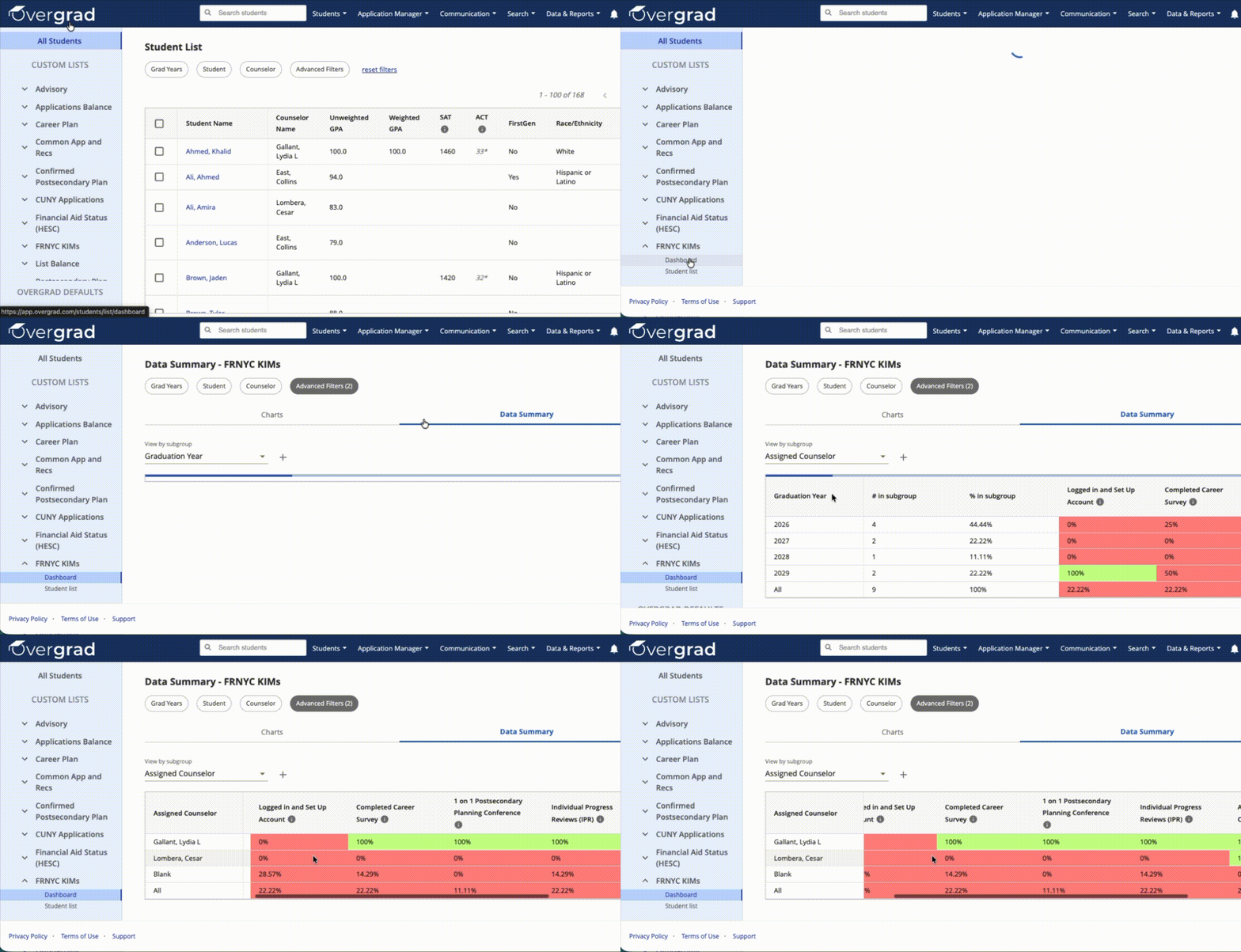
For more detailed views, educators can use Advanced Filters to see which students have and have not completed the survey and target specific groups of students.
These tools allow educators to track progress in real time and identify students who may need additional support with completing the survey.
Was this article helpful?
That’s Great!
Thank you for your feedback
Sorry! We couldn't be helpful
Thank you for your feedback
Feedback sent
We appreciate your effort and will try to fix the article