This feature is only available to Overgrad Pro customers. Please connect with an Overgrad rep if you are interested in learning more.
List Criteria allows district level educators to set requirements and recommendations for college lists. These can be further customized using cohorts; learn more about creating and editing cohorts here.
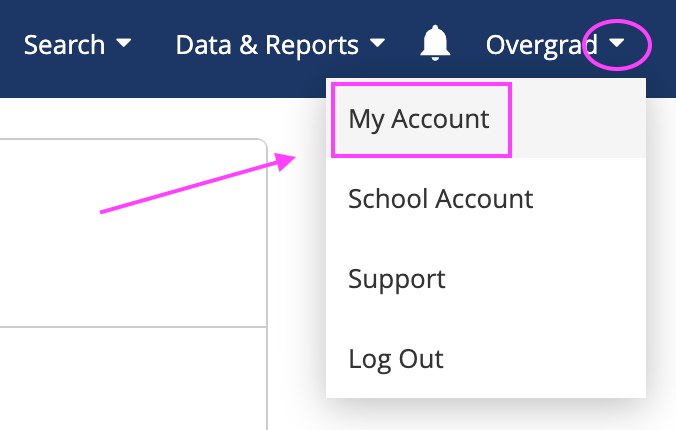
District Level Account Managers can create and edit cohorts from the My Account section of the profile dropdown menu
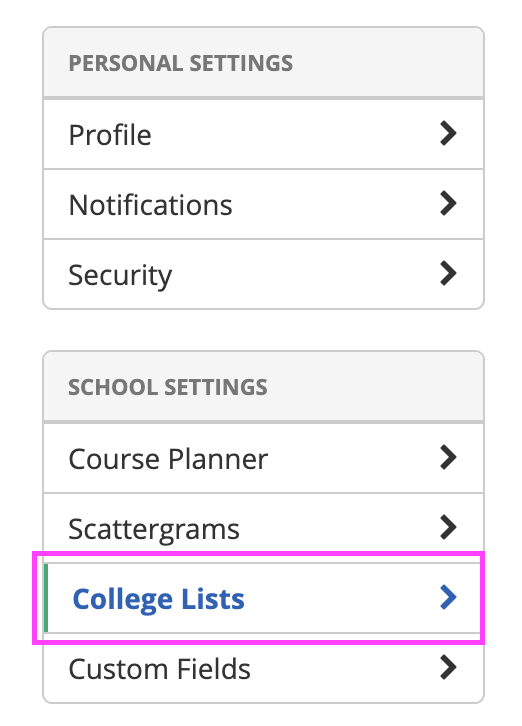
Select the College List section from the left menu
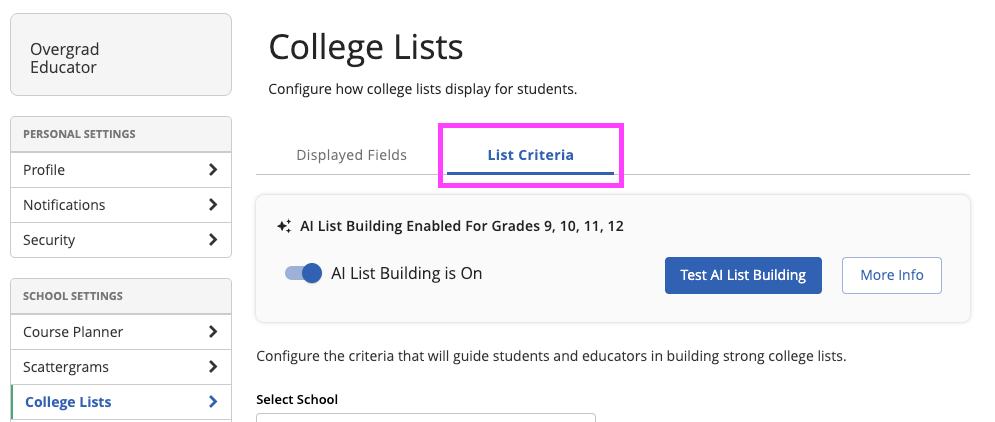
Navigate to the List Criteria section and ensure that you've enabled AI Listbuilding
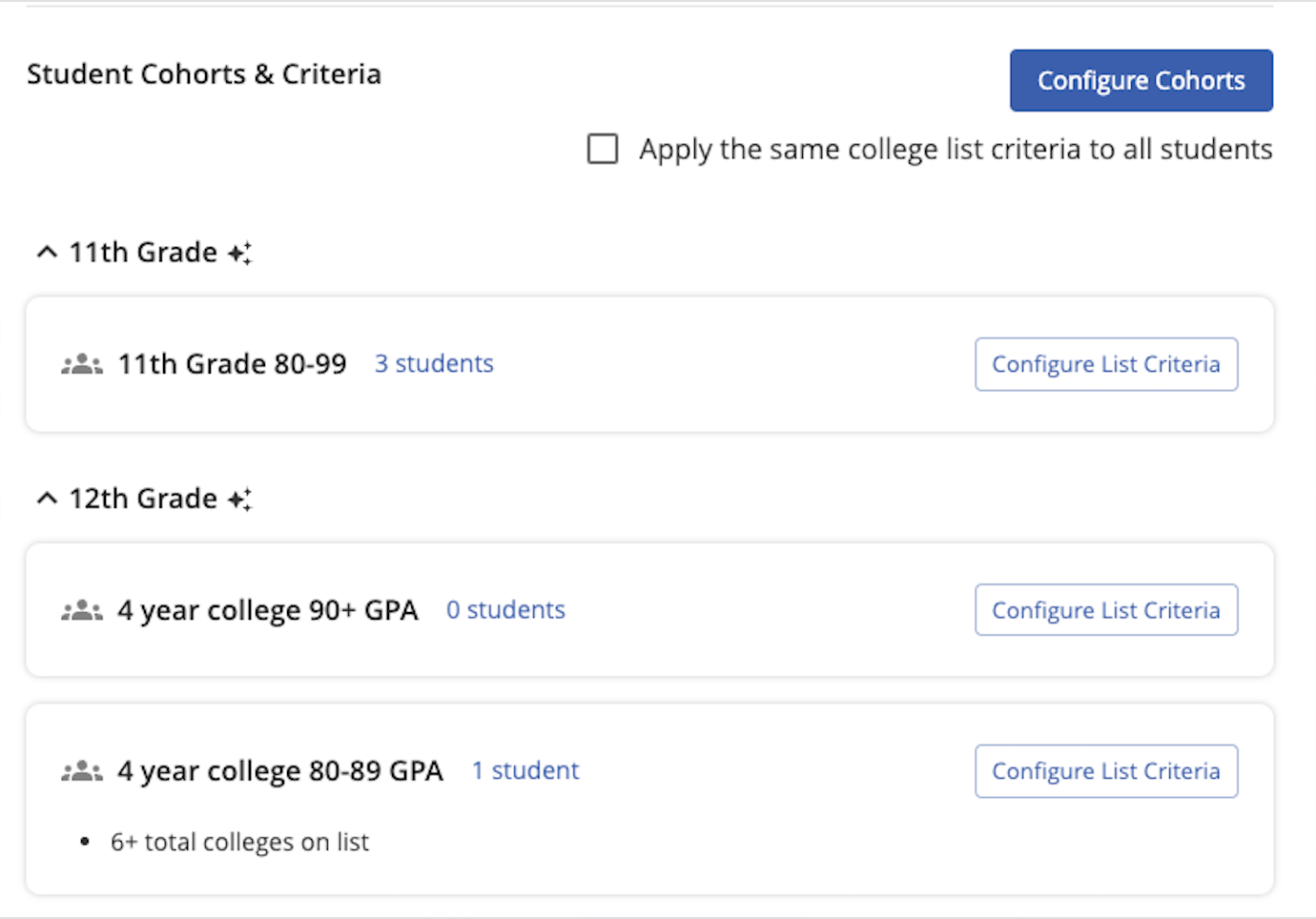
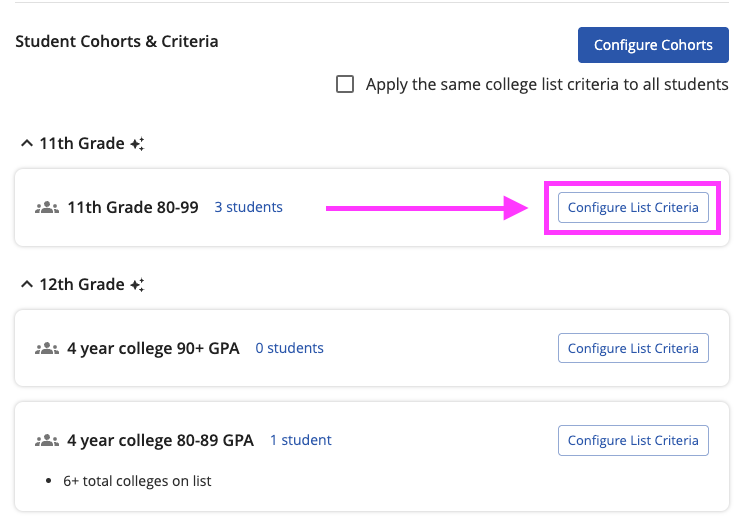
If you have created cohorts, each of the cohort titles will display for the relevant grade levels, along with the number of students assigned to the cohort
Creating Criteria
Click the Configure List Criteria to set requirements and recommendations for the specific cohort
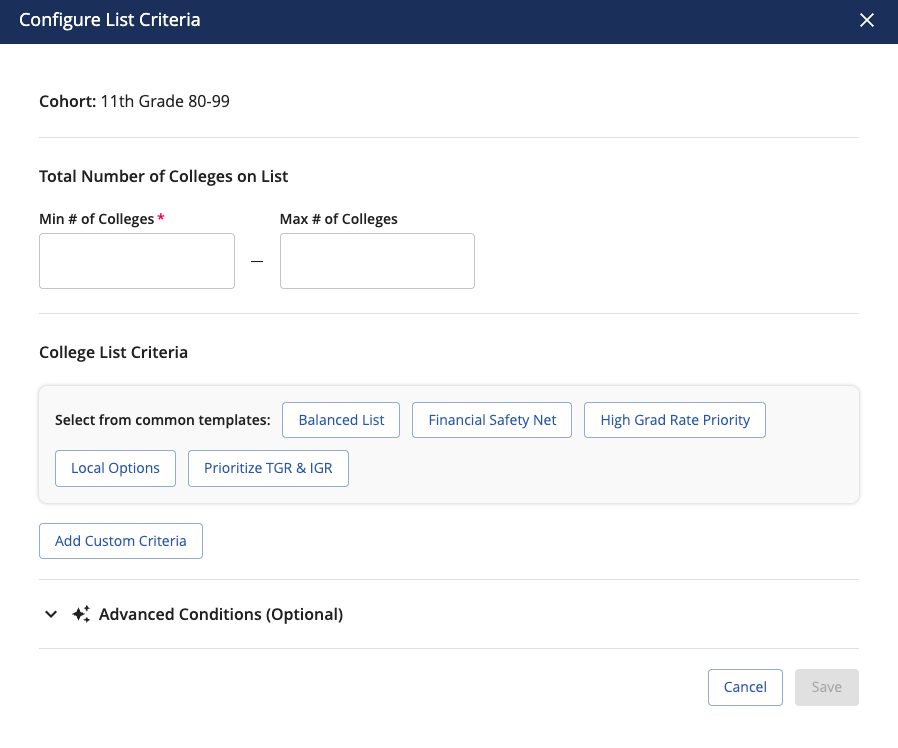
First, set a minimum number of colleges, the maximum is optional
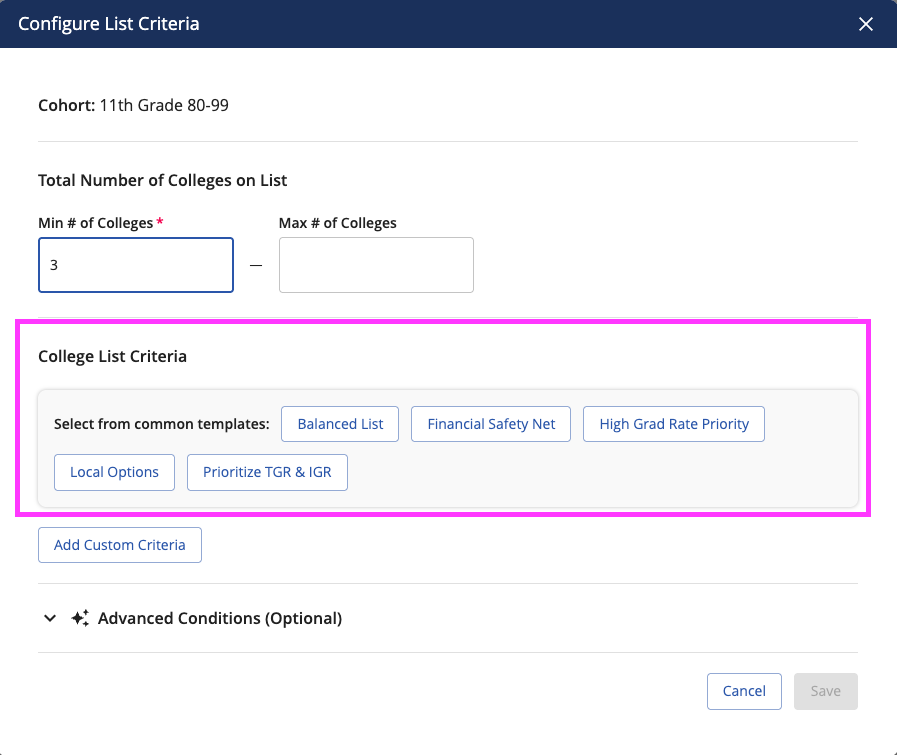
Next, create the criteria. We recommend that you choose a common template
Then edit the template by expanding the specific criteria that you want to change
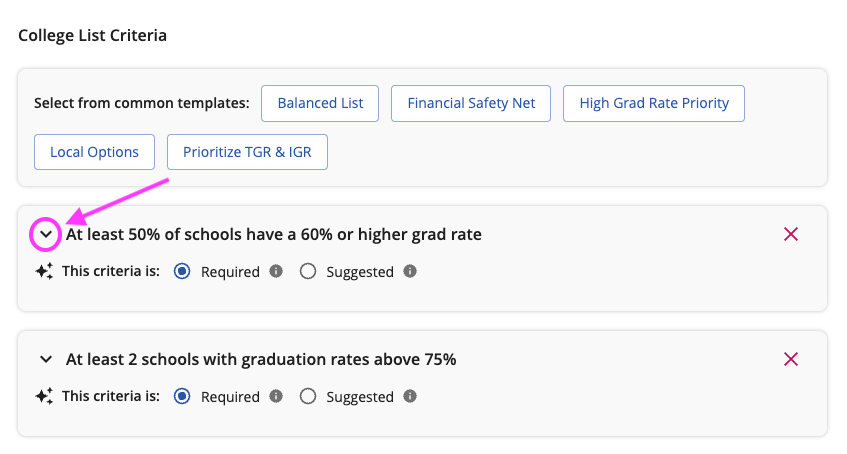
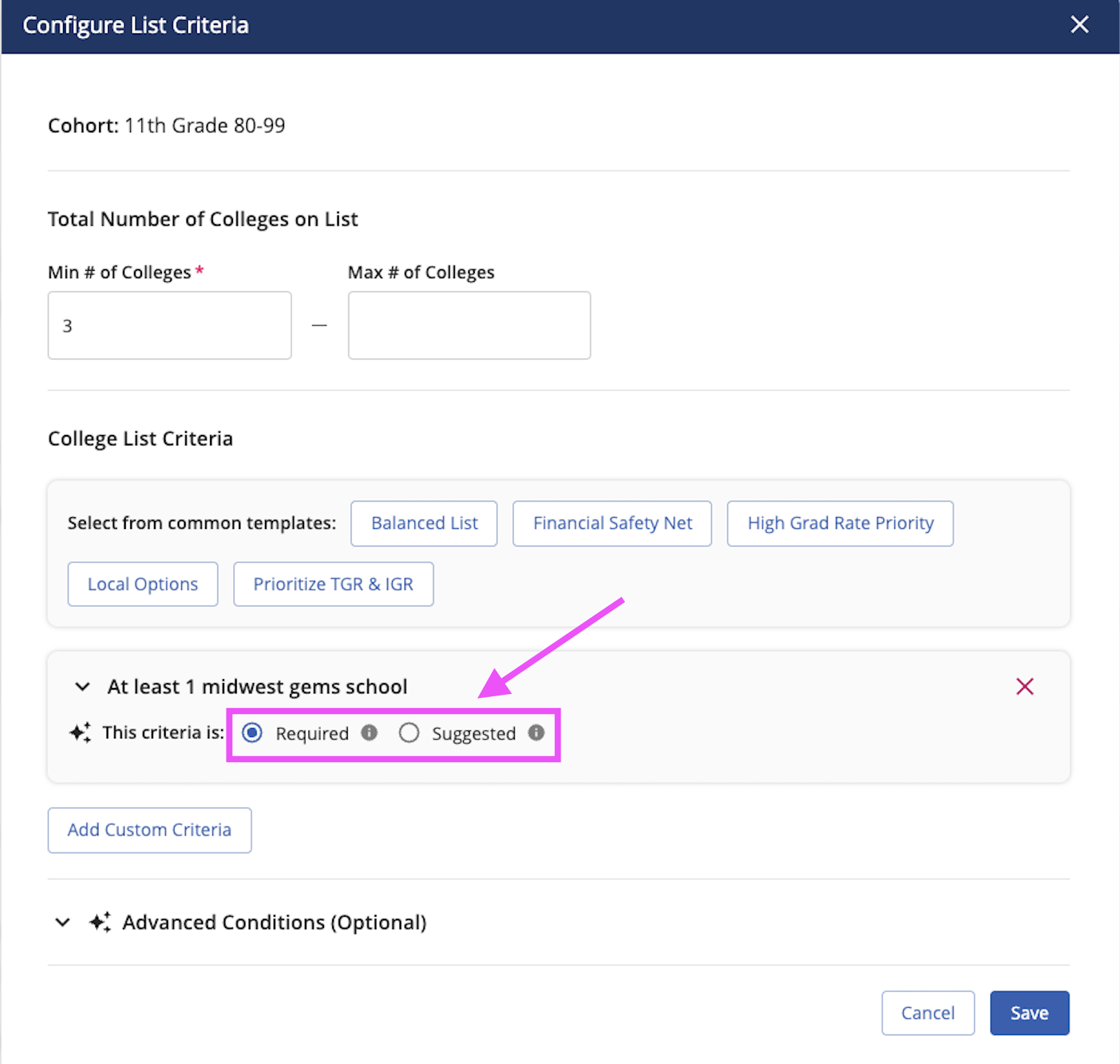
Change specific metrics by typing into the text boxes, selecting different fields, and/or changing if the criteria is required or suggested
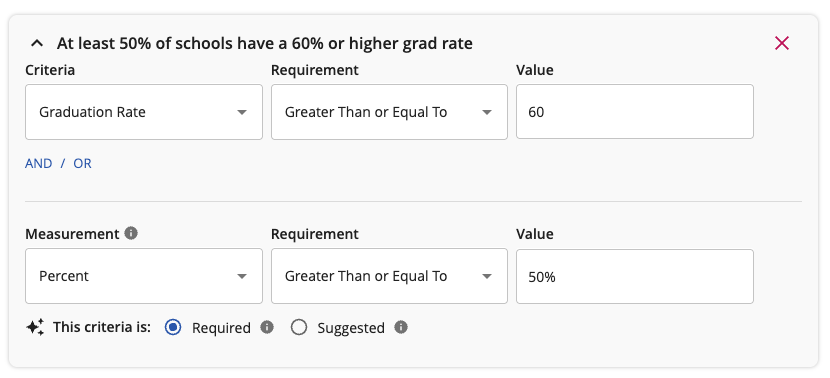
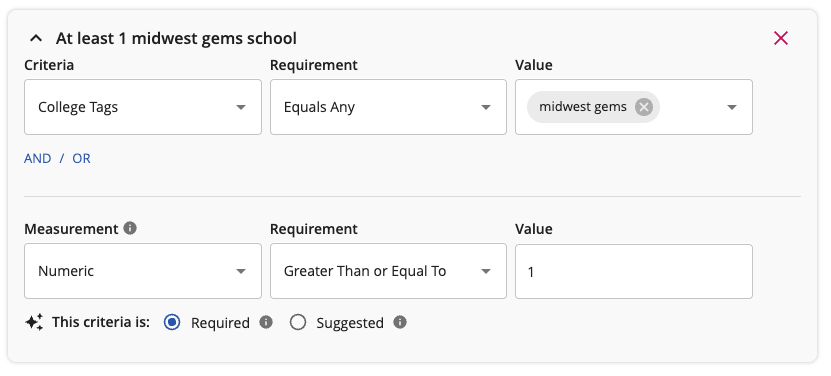
As you change the specific metrics, the title of the criteria will automatically adjust to ensure the description matches the metrics you update
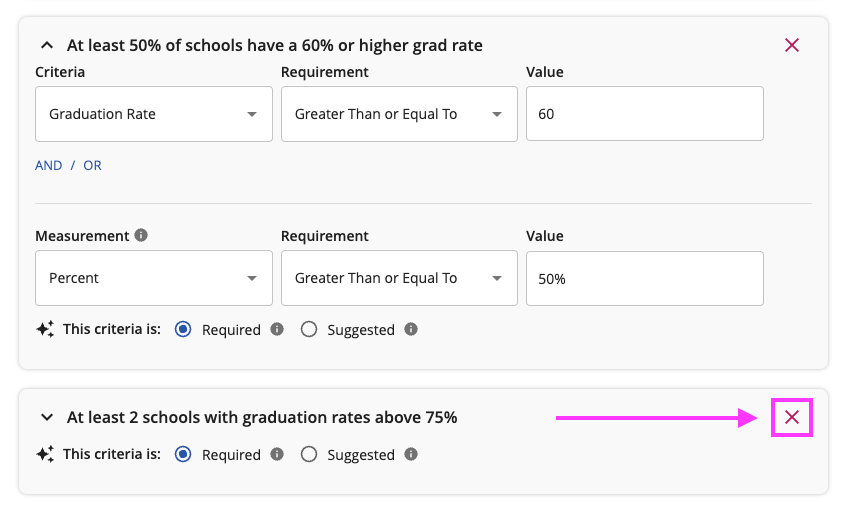
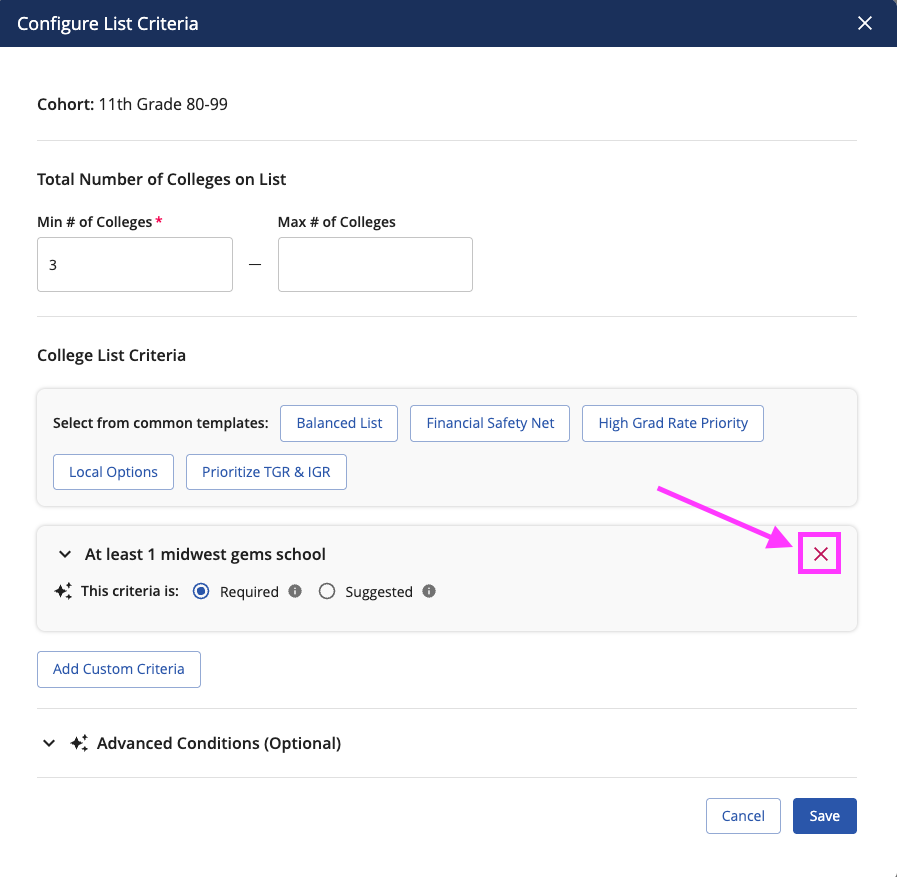
Delete suggested criteria by clicking the red x in the top right corner of the criteria card
You can also customize your own criteria by click on the Add Custom Criteria option
You can use natural language, or the dropdown menu to manually set the criteria. Set your criteria using college data, like tags
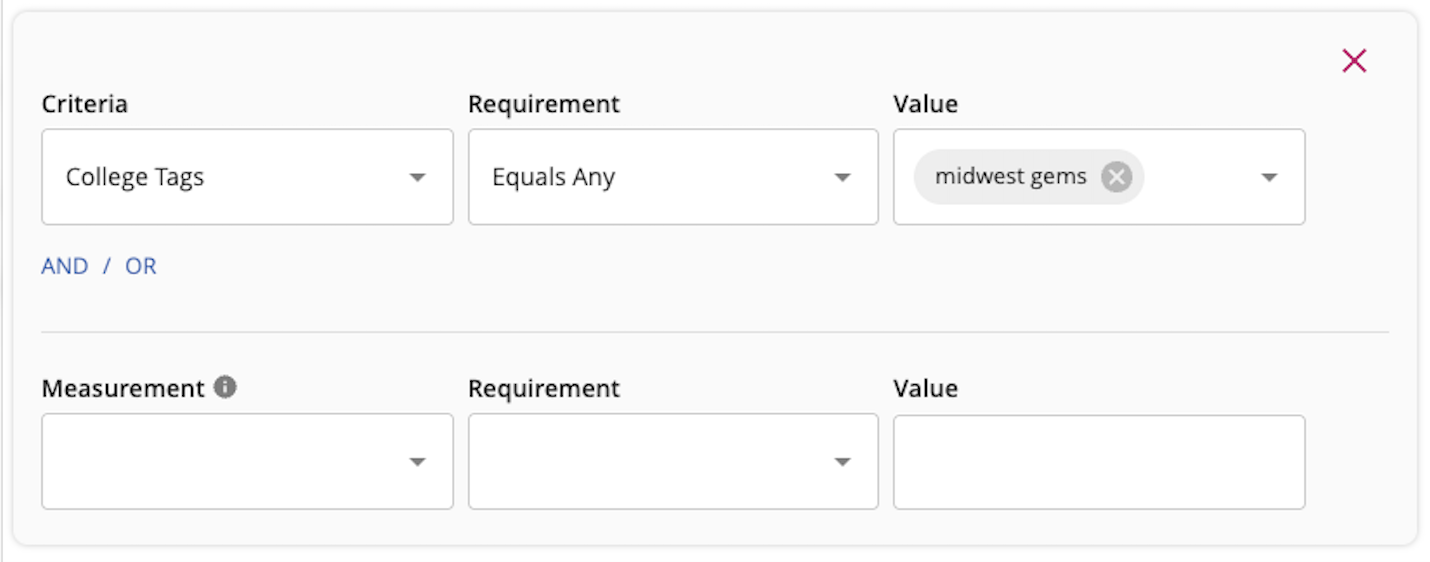
Add AND / OR logic if the criteria is complex
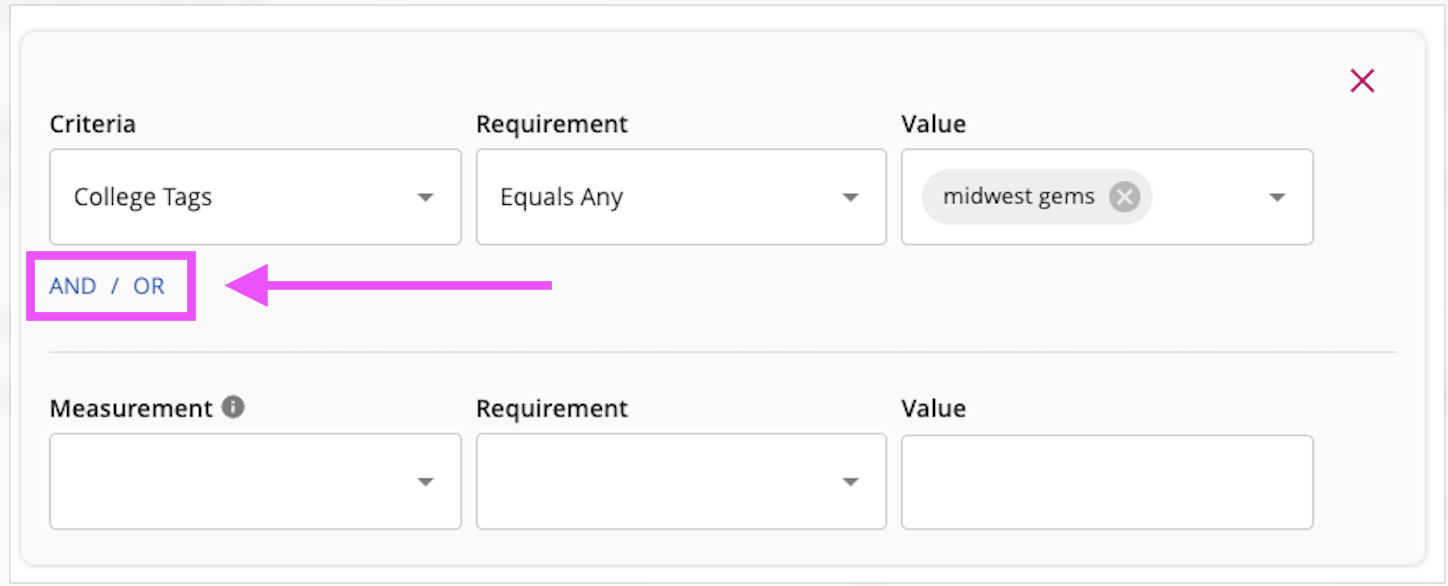
Then set the metrics using the measurement, requirement, and value options
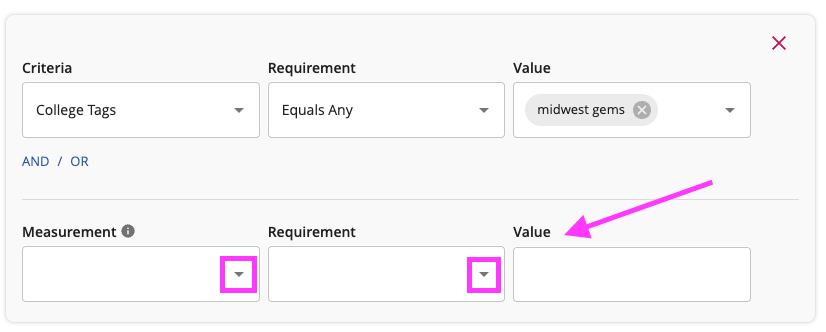
Once complete, click in the window to generate a title for your criteria:
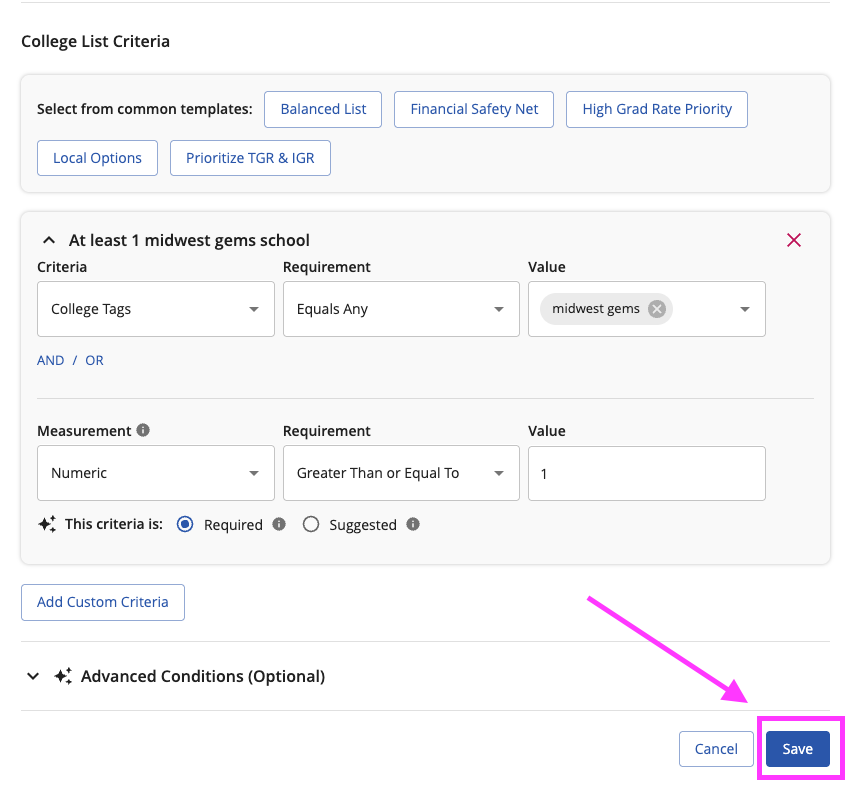
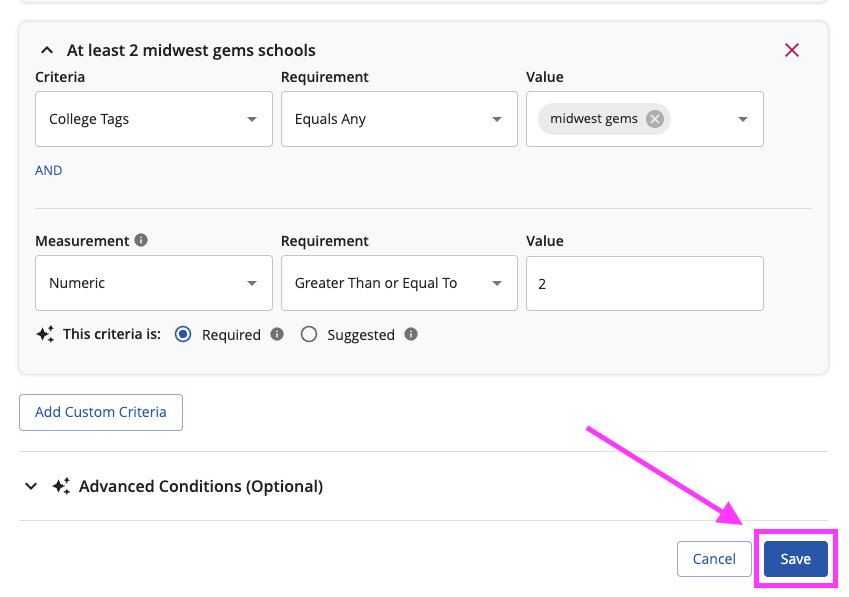
Once you're done adding criteria, click save
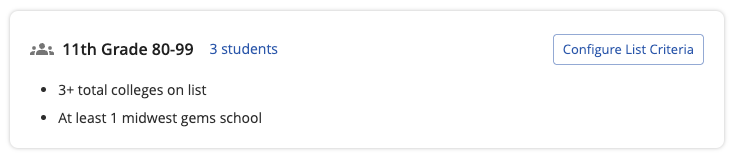
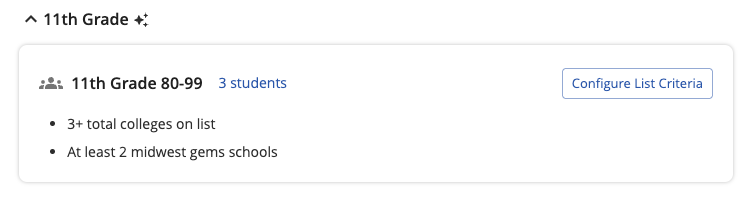
Once saved, you'll see all criteria for the cohort listed on the card for the cohort in bullet points:
Editing Criteria
Click the Configure List Criteria to set requirements and recommendations for the specific cohort
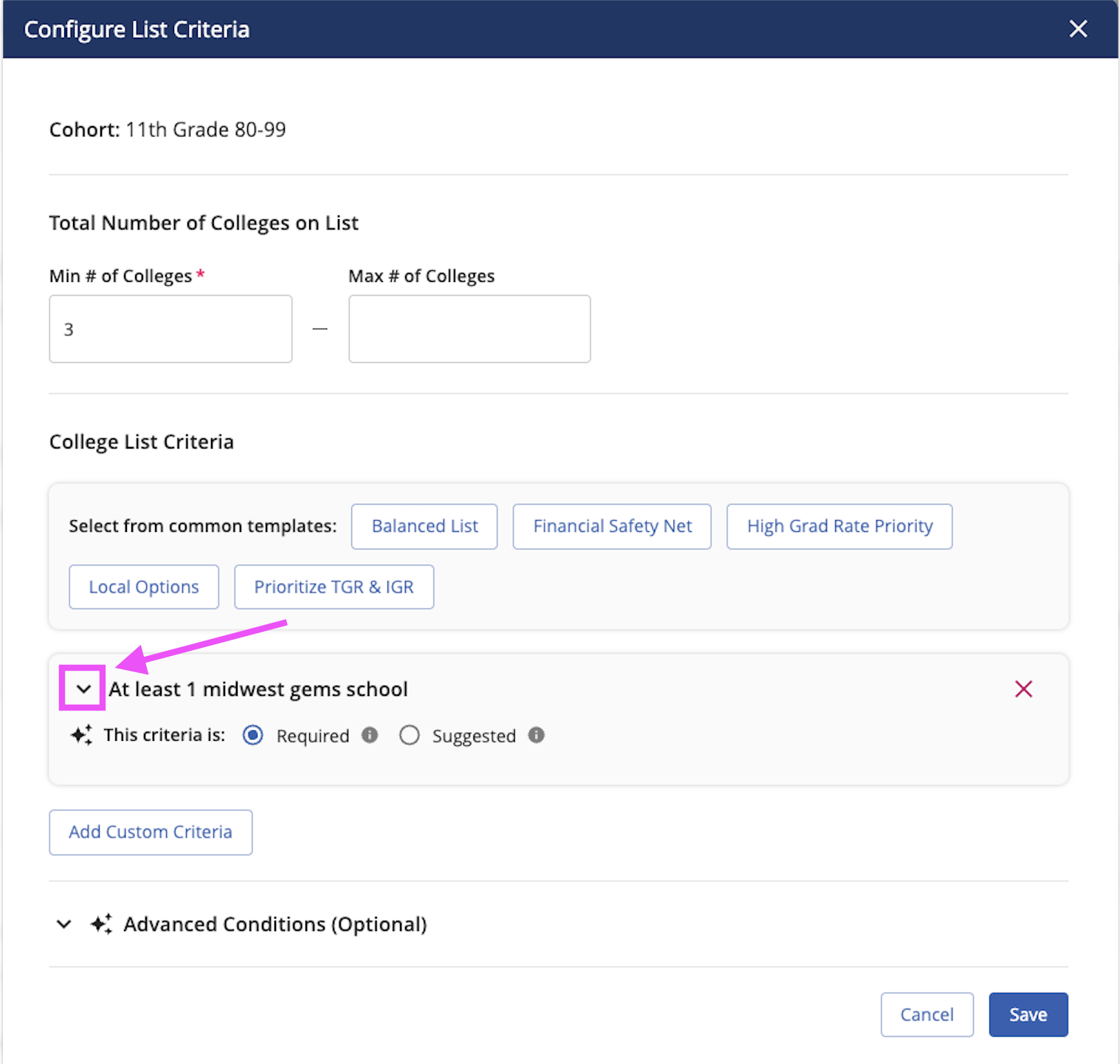
Click on the arrow to expand the criteria to edit the fields or values
Change the status from required to suggested using the single select option
Delete the criteria by clicking on the red x
Click save to save your changes
Your updated and saved criteria will display on the card for that cohort
Was this article helpful?
That’s Great!
Thank you for your feedback
Sorry! We couldn't be helpful
Thank you for your feedback
Feedback sent
We appreciate your effort and will try to fix the article