This guide is for educators who would like to sign up for an account and start using Overgrad. There are two ways to get access.
1. My school or district made my account
The account manager at your school or district can create accounts for other educators in their organization. If they created an account for you, you'll receive an email with instructions to set your password and log in for the first time.
2. I want to make my own account.
- Visit overgrad.com/join.
- Select School, District, or Organization from the dropdown menu, and choose if you would like to Sign up with Google or with an email address. We recommend selecting Sign up with Google if possible.
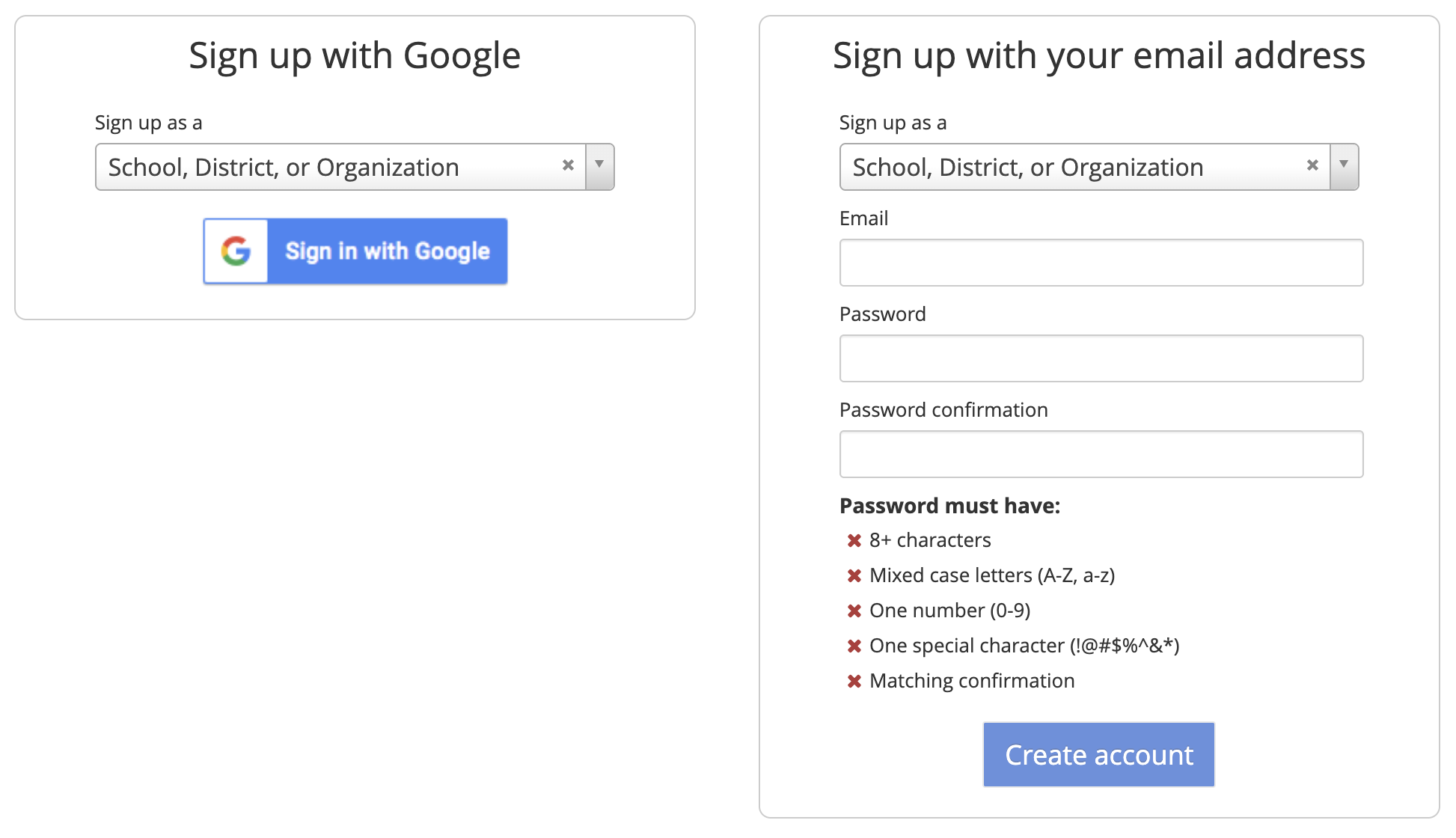
- Select whether you work at the High School or District level.
- Type the name of your school and select it from the dropdown menu. If your school does not appear, click: Can't find your school? Let us know, and we'll add it.
- Enter your professional information to verify your role and submit for approval.
- If you're the first user at your organization, an Overgrad team member will approve your account.
- If there's already an account manager at your school or district, they'll receive an email to approve you.

Still need help? Contact the Overgrad support team at support@overgrad.com.
Was this article helpful?
That’s Great!
Thank you for your feedback
Sorry! We couldn't be helpful
Thank you for your feedback
Feedback sent
We appreciate your effort and will try to fix the article