This feature is currently only available to NYC public schools.
Overview
This article is for NYCPS students who want to flag an activity as work-based learning (WBL) so it can be reviewed and verified by their counselor. It covers:
- Marking an activity as work-based learning
- What happens after you save it
- How verification affects editing
- How prior-year activities are handled
TABLE OF CONTENTS
- What is Work-Based Learning Documentation?
- Adding a Work-Based Learning Activity
- What Happens After You Save
- Once Your Activity Is Verified
- Prior-Year Activities
- Quick Reference
What is Work-Based Learning Documentation?
If your school participates in NYC's STARS Work-Based Learning (WBL) program, you can flag certain activities in your Activities list as work-based learning. This lets your counselor review and verify the activity for STARS reporting.
Adding a Work-Based Learning Activity
- Go to Activities.
- Click + Add Activity, or open an existing activity to edit it.
- Fill in the activity as usual: type, position, organization, description, hours, and dates.
- Answer “Is this a work-based learning activity?”
- If you select Yes: Start Date and End Date both become required, and you won’t be able to mark the activity as “still participating” — work-based learning activities need a defined end date.
- Click Save.
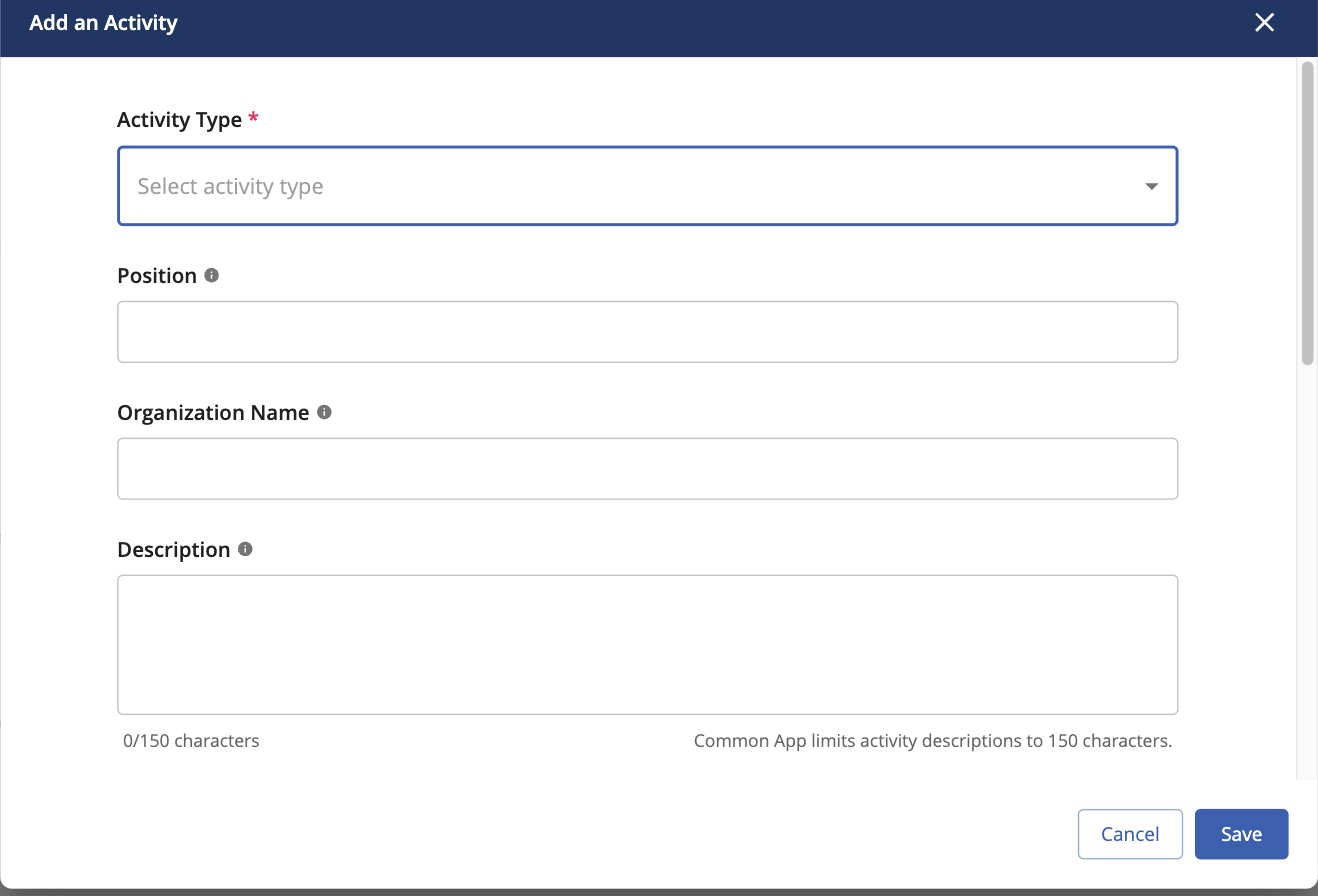
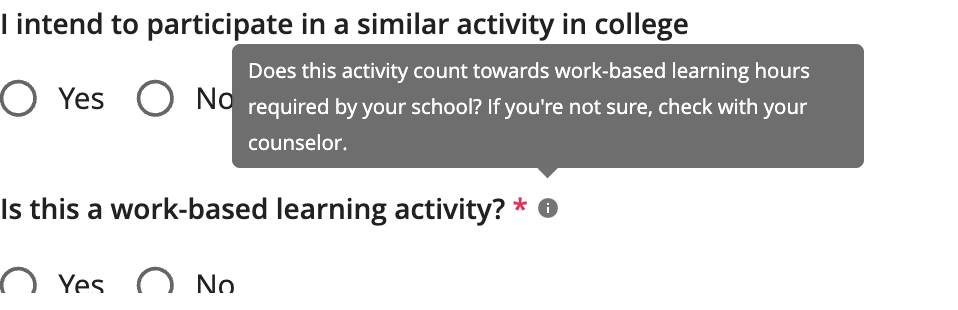
You don’t need to fill in additional details like experience type or organization type — your counselor adds those during verification. There’s no separate submit step; saving the activity is what sends it to your counselor for review.
What Happens After You Save
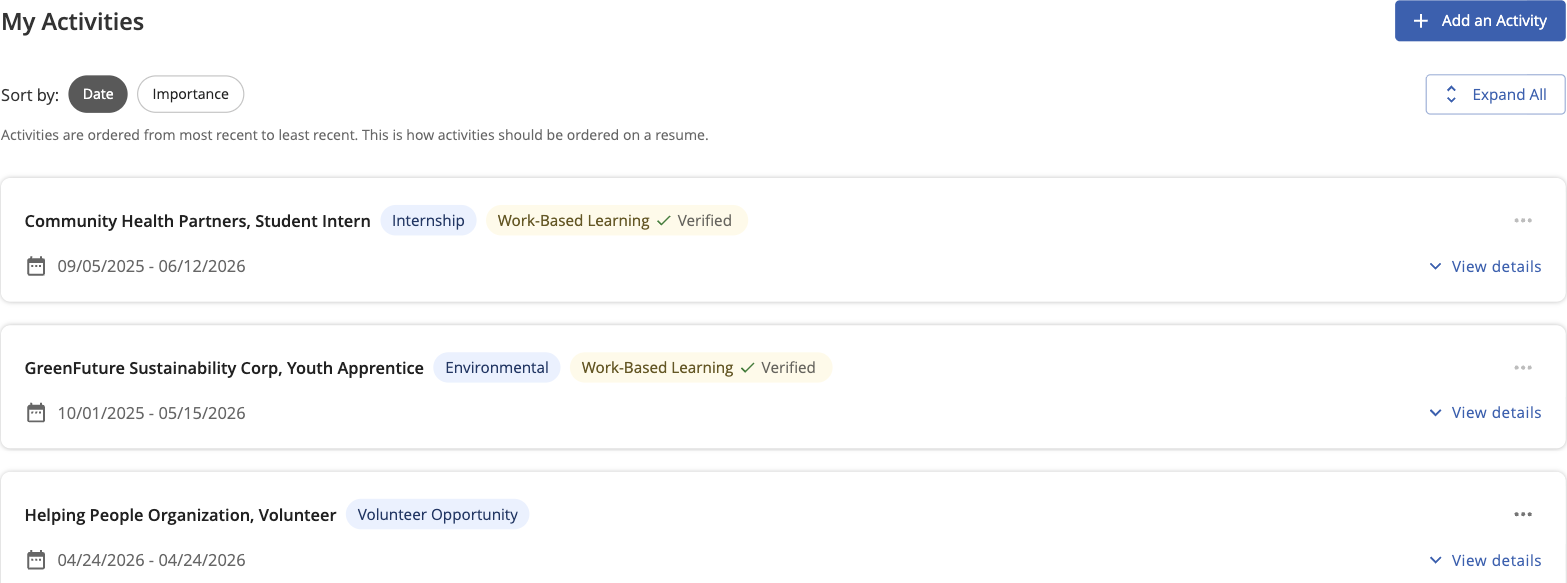
Once you save a work-based learning activity, your counselor is automatically notified (or your school’s account managers, if you don’t have an assigned counselor yet). Until it’s reviewed, your activity card will show:
- A “Work-Based Learning” tag
- “Counselor verification required”
Once Your Activity Is Verified
When your counselor verifies the activity, the card updates to show a green checkmark, "Verified," and who verified it and when.
Note: A verified activity can no longer be edited or deleted by you. If something needs to change, contact your counselor.

Prior-Year Activities
If the activity ended before the start of the current school year (school years run September 1–August 31), it's exempt from verification and stays fully editable, just like any other activity.

Quick Reference
| Status | What you'll see |
| Just added (current school year) | "Work-Based Learning" tag + "Counselor verification required" |
| Verified | Green checkmark, "Verified" + verifier name and date — locked from student edits |
| Prior year (ended before current school year) | No verification needed — stays editable |
Still need help? Contact the Overgrad support team at support@overgrad.com.
Was this article helpful?
That’s Great!
Thank you for your feedback
Sorry! We couldn't be helpful
Thank you for your feedback
Feedback sent
We appreciate your effort and will try to fix the article