This feature is only available to Overgrad Pro customers. Please connect with an Overgrad rep if you are interested in learning more.
Pausing the addition of new applications and document requests for students primarily functions to allow educators to catch up on pending document requests and set deadlines for requesting addition documents or letters.
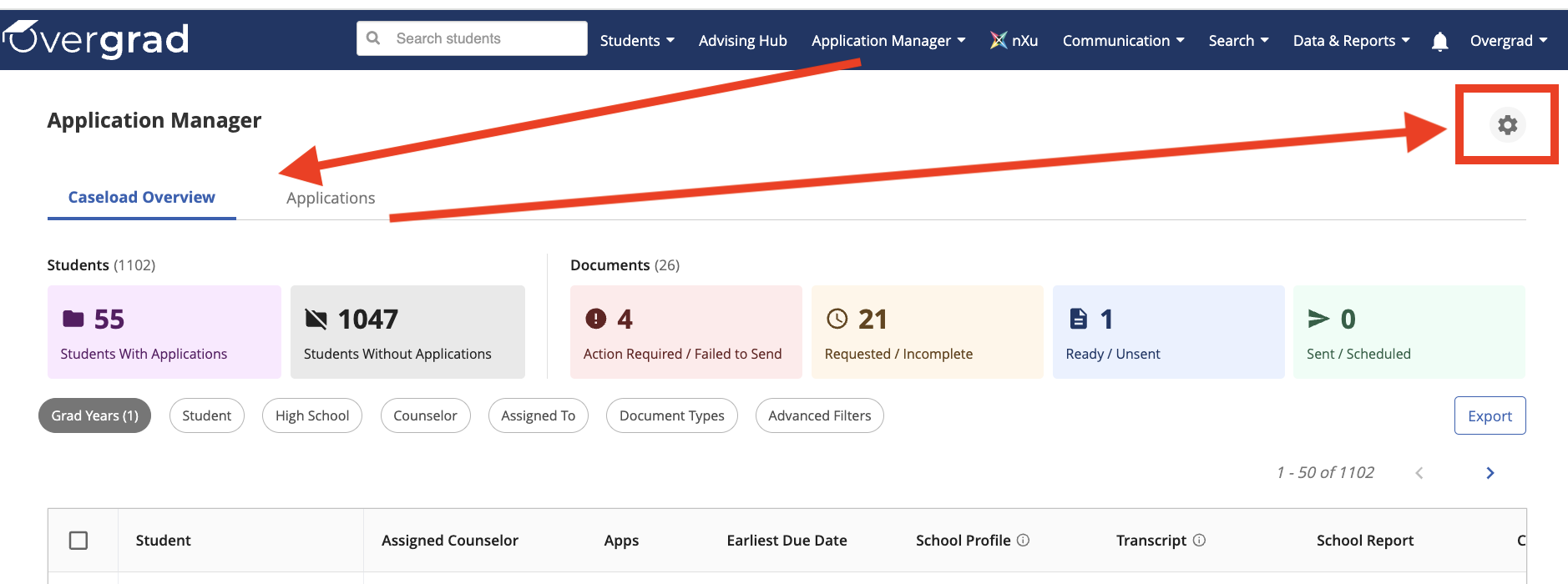
You can reach Student Applications Settings by navigating to Application Manager from your top navigation menu - Applications Manager -> Caseload Overview or Applications. Once in the Application Manager, you will see a gear icon in the upper right hand side of the page. You will find the settings at the bottom of the page. Make sure to hit Save in order to apply your settings.
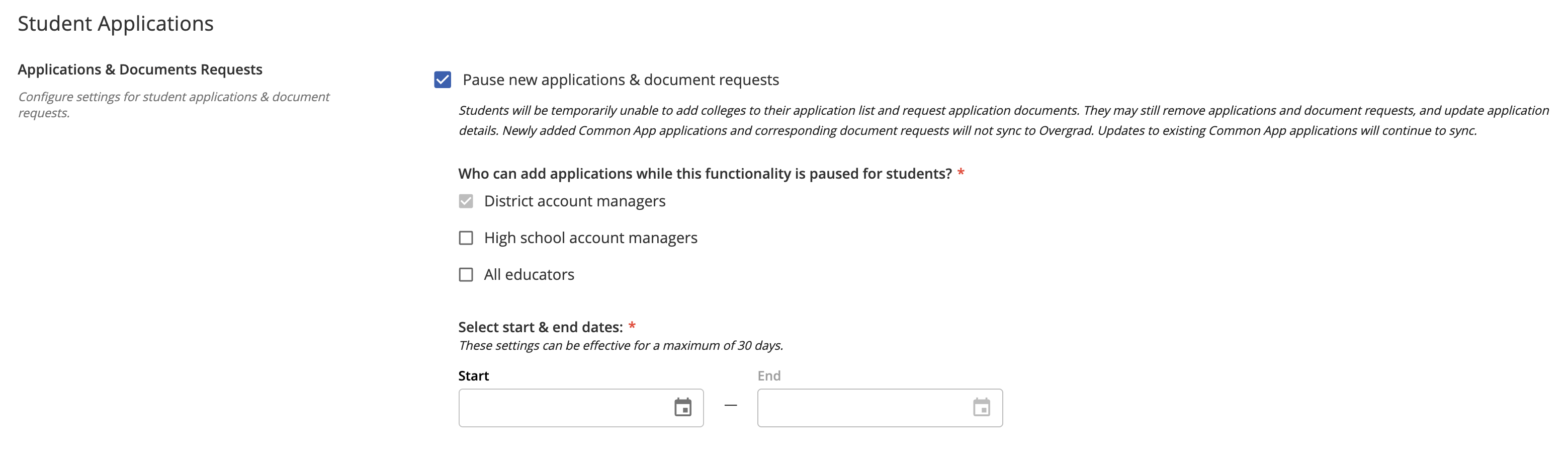
While Application and Document Requests are paused,
- educators are able to set a maximum active range of 30 days at a time
- district and high school account managers can decide who can add applications
- changes made to Common App will not be reflected on Overgrad until application editing resumes
- students will see a notification message on their account
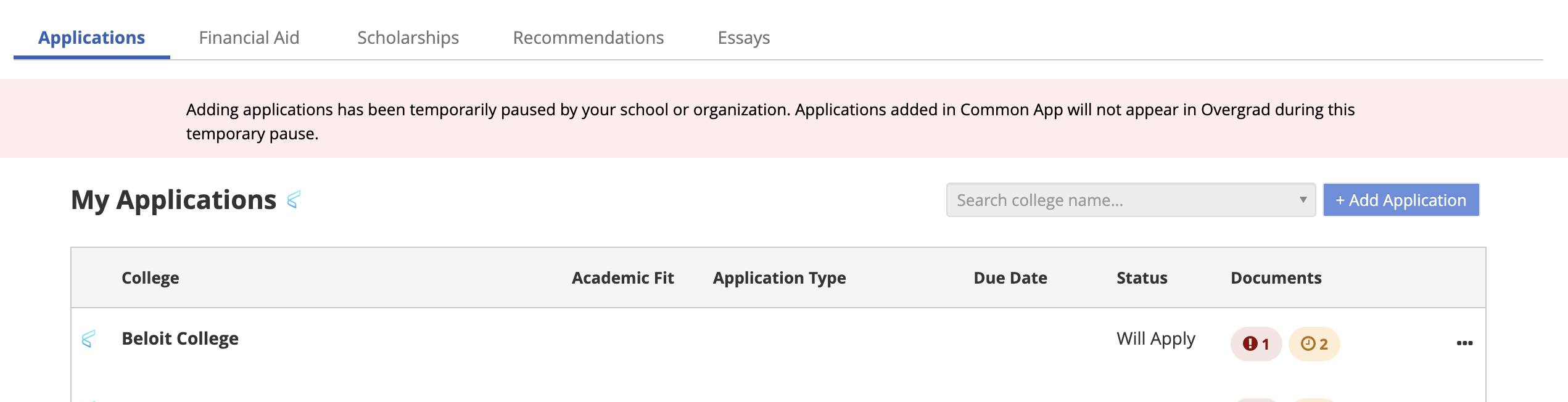
| Students are able to... | Students are not able to... |
|
|
Was this article helpful?
That’s Great!
Thank you for your feedback
Sorry! We couldn't be helpful
Thank you for your feedback
Feedback sent
We appreciate your effort and will try to fix the article